
Start with the job
Quick answer
If the goal is moving or restored family photos, examine a photo-first product such as Homture rather than buying a calendar assistant for its AI label. If ordinary shared photos are enough, compare the photo mode and recurring cost of a non-AI display.
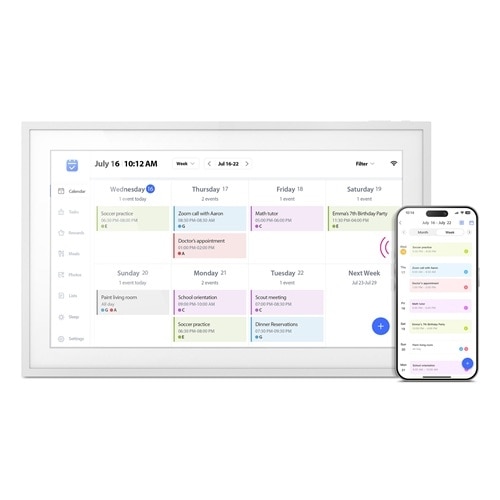
Skylight is a family-workflow baseline, not an AI-photo winner. The use-case labels distinguish photo animation, ordinary photo display and family planning. Overall product scores are not photo-AI quality scores. We have not tested these products side by side. Images are representative brand media; Skylight shows the original Calendar.
Different jobs, different choices
Use-case shortlist
These labels describe different needs. The shared overall product scores are editorial assessments, not scores for an individual feature.
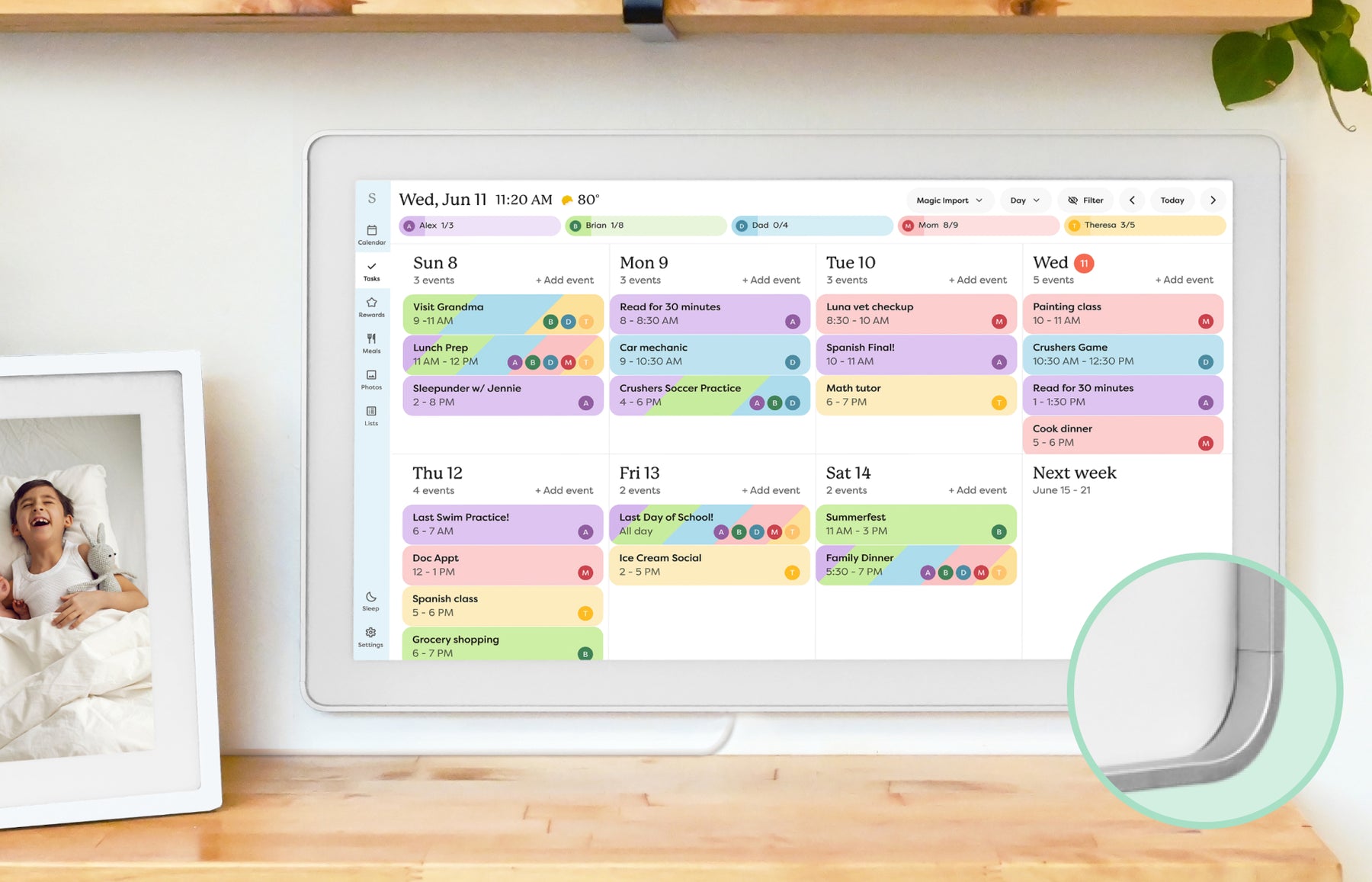
Best smart-family baseline
Skylight Calendar
A useful reference for comparing AI features against real family workflows.
8.6/10 overall editorial score
- Photo role
- Calendar-first baseline with photo screensaver; scheduling assistance is not photo animation.
- Photo / AI cost boundary
- Photo screensaver is a Calendar Plus feature.
- Know the limits
- Not evidence of AI restoration or moving-photo generation.
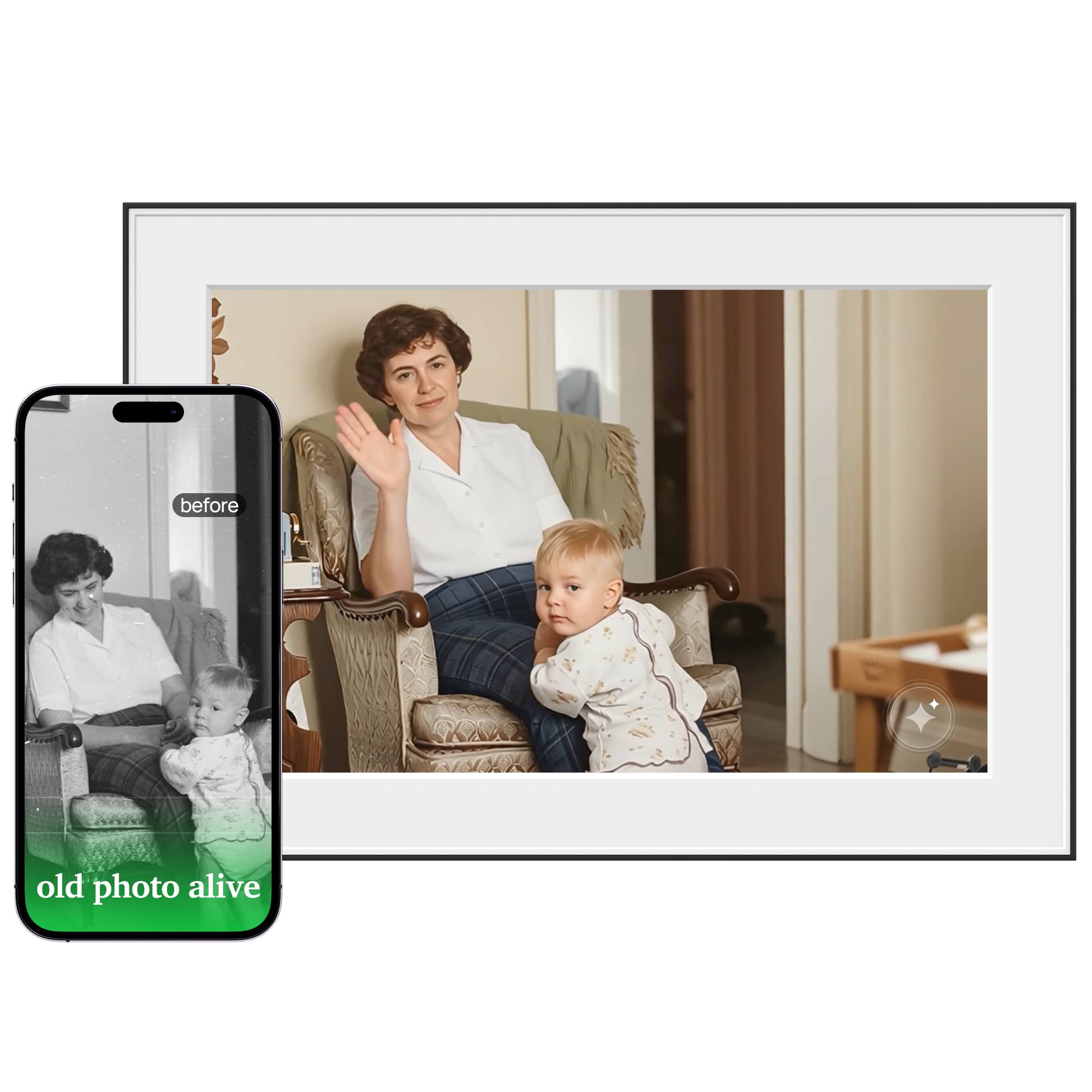
Best AI photo-animation watch
Homture Magic Frame
A photo-first AI frame to monitor for animated family memories, restoration, and credit-based AI value.
7.4/10 overall editorial score
- Photo role
- Photo-first 10.1-inch frame; manufacturer advertises photo-to-video animation and restoration.
- Photo / AI cost boundary
- Included 2,000 credits are described as 20 AI videos; further AI generation costs credits.
- Know the limits
- Generated movement is synthetic, not recovered historical footage. Independent output-quality and cloud-longevity tests are not established here.

Best flexible display candidate
Cozyla Calendar+
Promising fit for photo and smart-display comparisons.
8.2/10 overall editorial score
- Photo role
- Family calendar and photo-capable display; curated art is different from restoring a family photo.
- Photo / AI cost boundary
- Calendar+ 2 Art Gallery requires Calendar Super.
- Know the limits
- Do not infer family-photo animation from an AI Voice Agent or art-library feature.
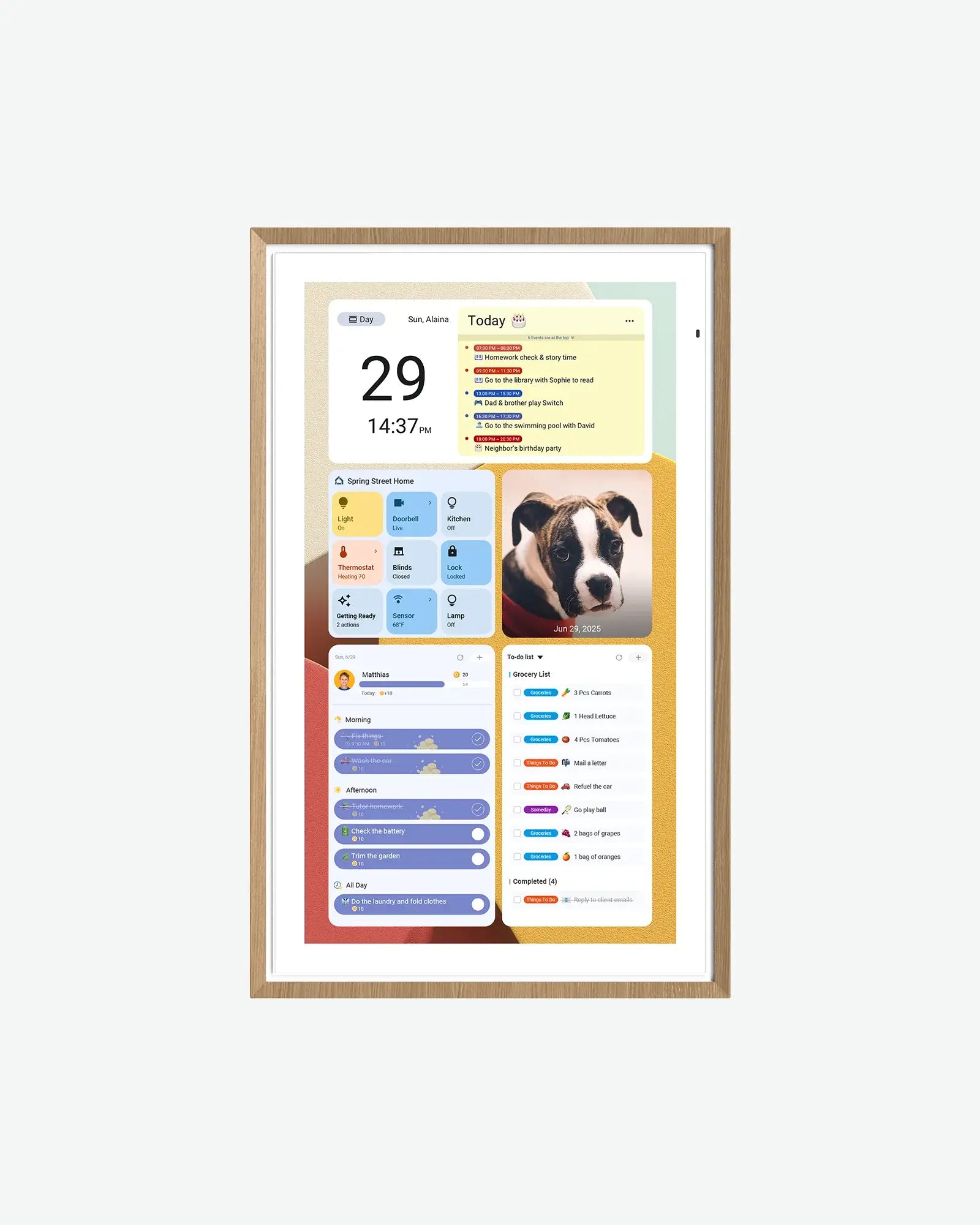
Best Android AI-adjacent candidate
Apolosign Digital Calendar
Google Home and Gemini claims make it relevant for AI family-display comparisons.
8.0/10 overall editorial score
- Photo role
- Calendar mode with a photo screensaver and Android flexibility.
- Photo / AI cost boundary
- Core photo screensaver is advertised as free; third-party apps can charge separately.
- Know the limits
- Installing Gemini is not evidence of integrated photo restoration or frame-specific AI quality.
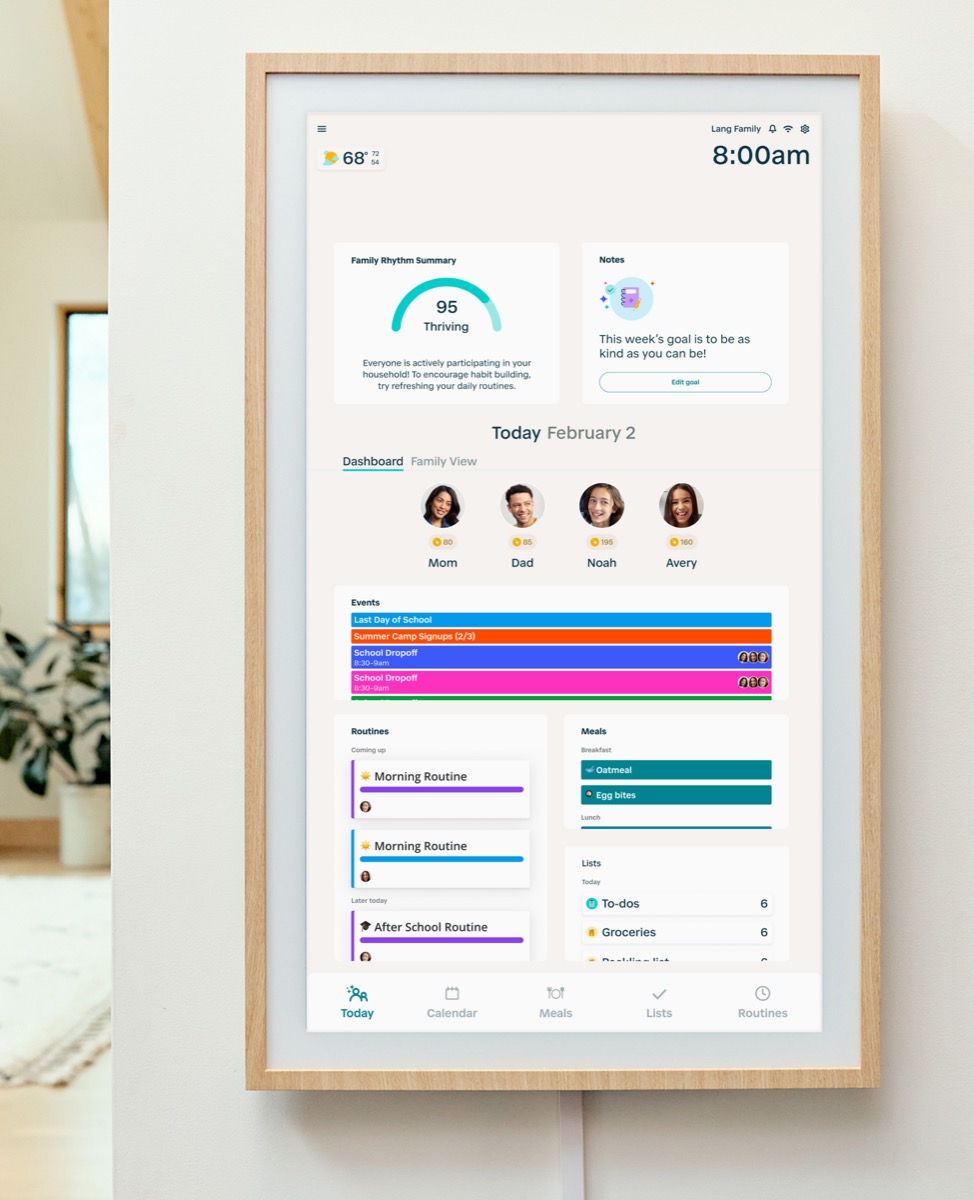
Best routine-and-helper check
Hearth Display
Useful when comparing AI-adjacent family planning against routines, lists, and membership-backed helper workflows.
8.1/10 overall editorial score
- Photo role
- Routine and planning baseline, not a photo-animation comparison winner.
- Photo / AI cost boundary
- Hearth Helper belongs to Family Membership.
- Know the limits
- Schedule imports and planning assistance do not establish photo-generation capabilities.
Best non-AI control
Aluratek AWFC15F eCalendar
A useful contrast case for readers separating eCalendar utility from AI assistant claims.
7.7/10 overall editorial score
- Photo role
- Non-AI control: ordinary photo display alongside eCalendar household tools.
- Photo / AI cost boundary
- Exact AWFC15F listing says no subscription fees.
- Know the limits
- Photo display is not documented AI restoration or animation.
Features with boundaries
Photo AI versus a photo-capable display
On a smaller screen, swipe the table sideways to see costs and limits. With a keyboard, focus the table and use the arrow keys.
| Product | Photo role | Photo / AI cost boundary | Limits & sources |
|---|---|---|---|
| Skylight Calendar | Calendar-first baseline with photo screensaver; scheduling assistance is not photo animation. | Photo screensaver is a Calendar Plus feature. | Not evidence of AI restoration or moving-photo generation. |
| Homture Magic Frame | Photo-first 10.1-inch frame; manufacturer advertises photo-to-video animation and restoration. | Included 2,000 credits are described as 20 AI videos; further AI generation costs credits. | Generated movement is synthetic, not recovered historical footage. Independent output-quality and cloud-longevity tests are not established here. |
| Cozyla Calendar+ | Family calendar and photo-capable display; curated art is different from restoring a family photo. | Calendar+ 2 Art Gallery requires Calendar Super. | Do not infer family-photo animation from an AI Voice Agent or art-library feature. |
| Apolosign Digital Calendar | Calendar mode with a photo screensaver and Android flexibility. | Core photo screensaver is advertised as free; third-party apps can charge separately. | Installing Gemini is not evidence of integrated photo restoration or frame-specific AI quality. |
| Hearth Display | Routine and planning baseline, not a photo-animation comparison winner. | Hearth Helper belongs to Family Membership. | Schedule imports and planning assistance do not establish photo-generation capabilities. |
| Aluratek AWFC15F eCalendar | Non-AI control: ordinary photo display alongside eCalendar household tools. | Exact AWFC15F listing says no subscription fees. | Photo display is not documented AI restoration or animation. |
Sources describe advertised capabilities and terms, not independent reliability tests. Specific-source checks for this guide: October 13, 2026. Linked product profiles retain their separate research dates. Prices, allowances and support terms can change.
Make the decision
What to check before choosing
Decide whether you want restoration, animation or sharing
Our AI-versus-digital-photo-frame guide separates three jobs: repairing an image, inventing motion and showing family photos. A moving portrait can be a pleasing gift without being a faithful reconstruction of a memory.
- Restoration can alter faces, textures and colors; keep the original file.
- Animation creates motion that was never captured by the camera.
- Remote sharing and image display may matter more than occasional AI generation.
Budget for repeat generations, not only the included credits
The Homture review records the advertised credit model and its untested limits. Included credits are a starting allowance, not unlimited AI use; compare refill terms and unsuccessful-generation rules before sending many family photos.
- Homture describes 2,000 included credits for roughly 20 AI videos.
- Preserve originals separately from processed results.
- A subscription-free storage claim does not make AI generation free.
Protect the family photos before trying AI
Use the photo privacy checklist before uploading children’s images, private family records or memorial photographs. The relevant questions are who can access uploads, whether you can delete originals and outputs, and what happens if the account is closed.
- Get the consent of people whose likeness you animate.
- Avoid uploading sensitive records merely to try a demo.
- Check cloud processing and deletion terms; a server-location claim is not a security audit.
Keep calendar assistance separate from photo AI
The AI-assistant capability comparison examines schedule and meal-planning actions. Those workflows do not establish photo-animation ability, and a photo-first frame does not become a family organizer because it has an AI label.
- Skylight Sidekick and Hearth Helper serve planning workflows.
- Apolosign Android app access introduces separate third-party permissions and subscriptions.
- Zicalstar Magic Photo has a separate availability boundary from Agent support; it is not a verified photo-AI pick here.
Practical details
Common questions
Does AI animation recover how someone really moved?
No. It generates plausible motion from a still image. Treat the result as a synthetic interpretation and keep the original photograph.
Is Homture AI generation unlimited and free?
No. Its official page describes an included credit allowance and additional paid credits. The Homture review separates these terms from ordinary cloud photo storage.
Is a calendar with an AI assistant an AI photo frame?
Not necessarily. Schedule imports or meal suggestions are different capabilities from photo restoration and animation. Compare the exact feature rather than the AI label.
Why is Skylight first in the existing list?
It is retained as a smart-family workflow baseline, not a photo-animation winner. The category labels describe different uses; the overall product score does not measure AI-photo output quality.
Can I assume Zicalstar Magic Photo is released on every display?
No. The Zical feature guide separates confirmed Agent support from the distinct Magic Photo availability boundary. Platform or app support is not confirmation for every hardware model.
Explore the details
Skylight CalendarRead the evidence and buying limitsHomture Magic FrameRead the evidence and buying limitsCozyla Calendar+Read the evidence and buying limitsRelated reading
Read the buying details
These guides explain the tradeoffs behind the comparison.
Useful next steps
- Check photo privacyConsent, cloud processing and deletion.
- AI versus ordinary photo framesChoose by the job, not a label.
- Compare AI calendar actionsSchedule imports, voice planning and paid-access limits.
SmartFrameLab does not sell placements or run display ads. Some buying links on linked reviews are affiliate links; see our commercial disclosure.