Buying guide / Family displays

Best Digital Calendars for Families: Wall Displays Compared

Compare nine digital calendars for family schedules, chores and routines. Find the right wall display by calendar sync, setup and the features you will actually use.

Start here

Which digital calendar fits your home?

These are editorial recommendations, not side-by-side hardware test results. The comparison also includes Cozyla, Zicalstar and Zenframe.

Choose by daily job

Our picks by household need

A higher product score and a better fit for your household are not always the same thing. Scores below come from our product profiles; recommendations are grouped by use case.

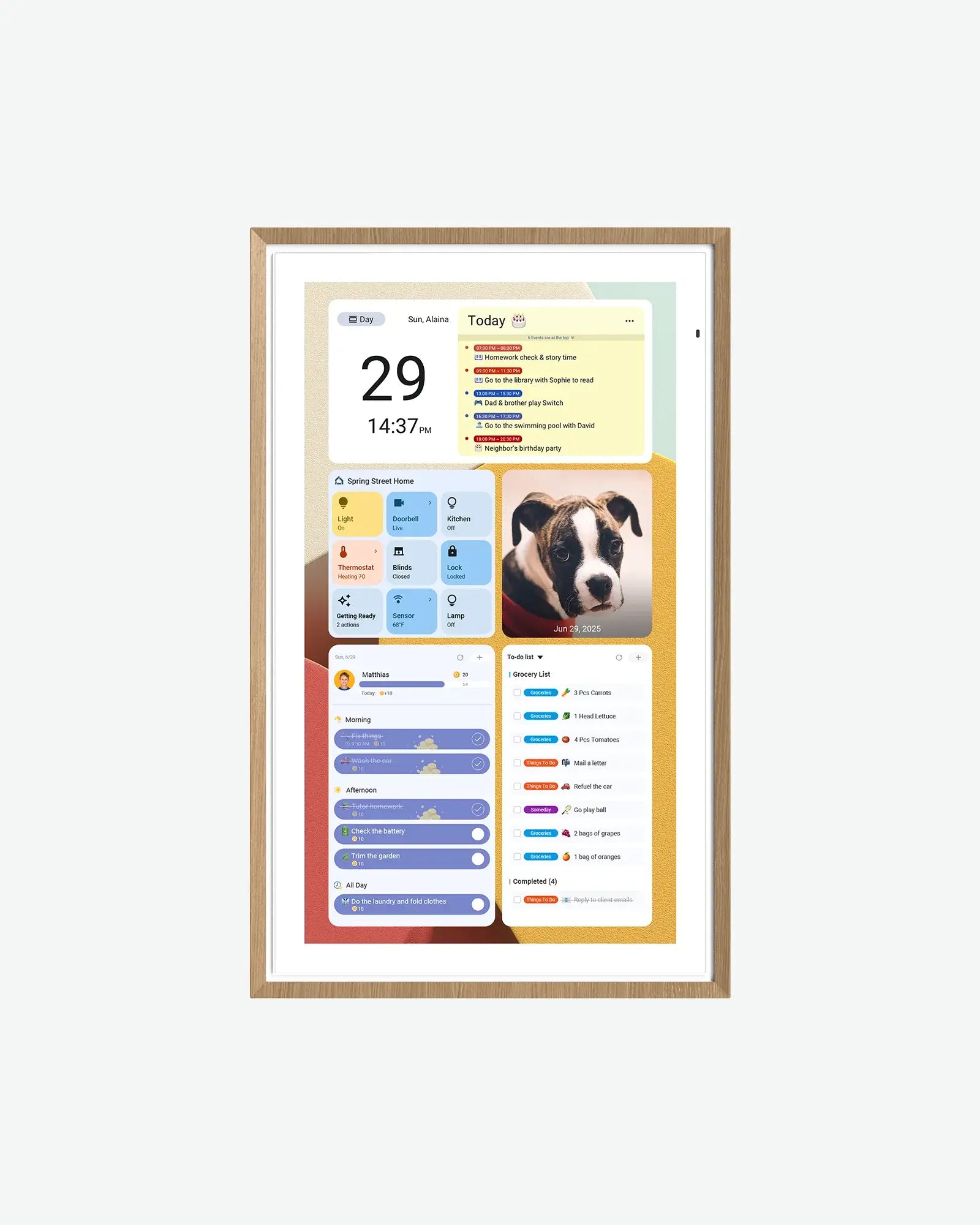
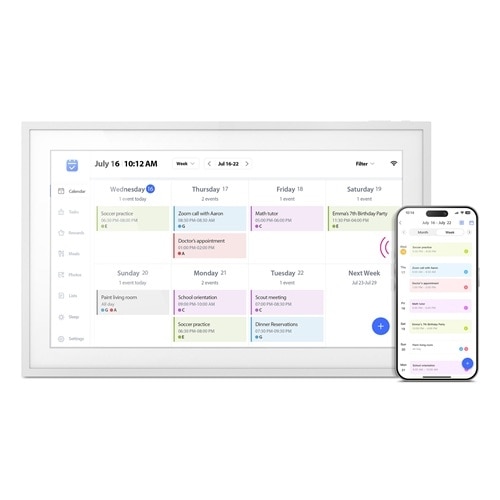
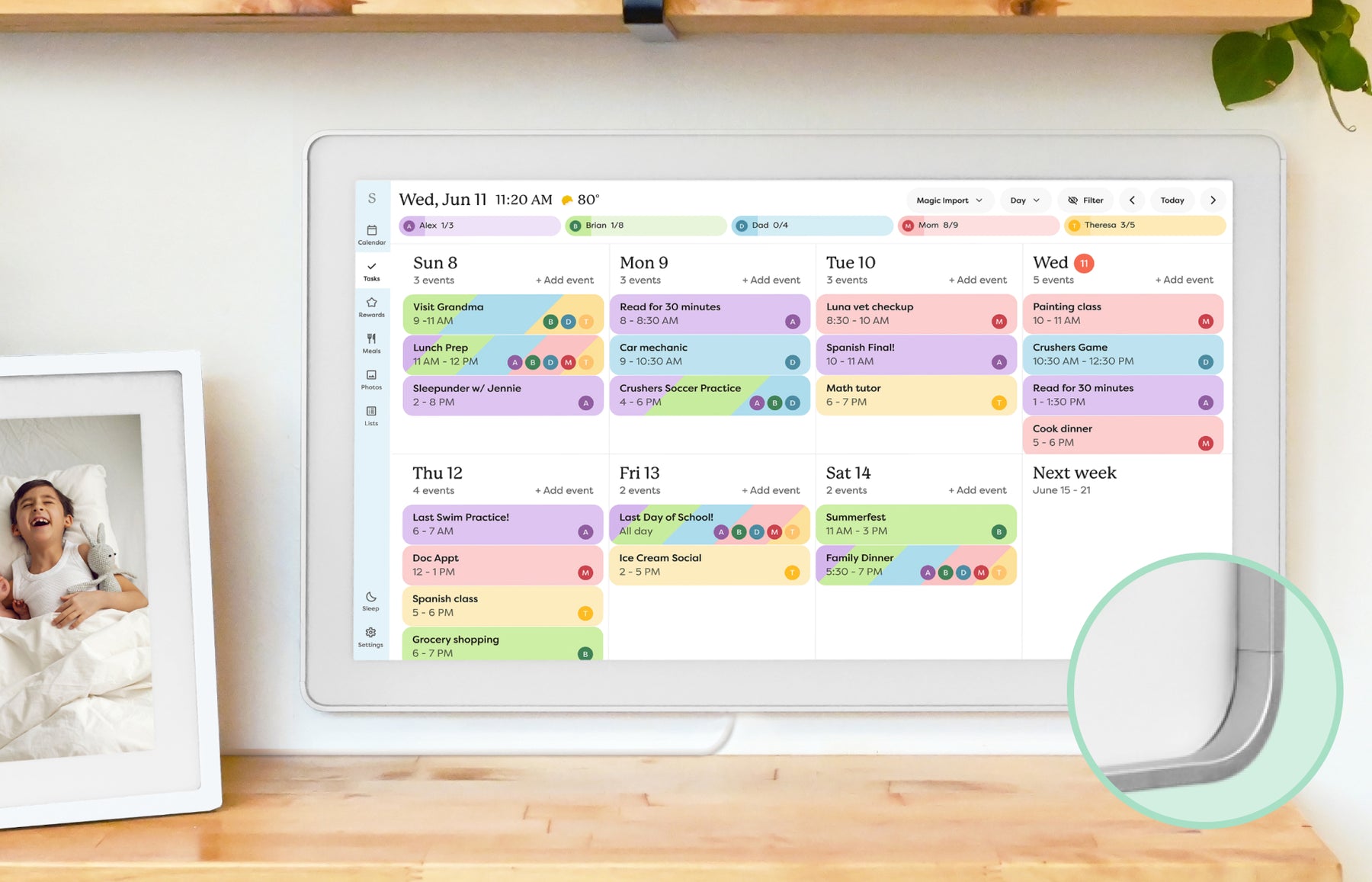
Skylight Calendar smart calendar frame showing a family schedule on a wall display.Best for most families

Skylight Calendar

8.6/10
editorial

A polished calendar-first experience with broad family appeal.

Display
10-, 15- and 27-inch family; match the generation and size.
Setup style
Stand on smaller models; Max is wall-mount only.

Best-fit workflowShared events, tasks and lists through a dedicated display and companion app.

Know the limitsSkip if you need an open Android dashboard. Calendar 2 changes hardware, not the free/paid software split; do not confuse it with the original Calendar pictured here. Needs Wi-Fi and outlet power.

Product profile checked August 21, 2026. Buying facts below checked October 13, 2026.

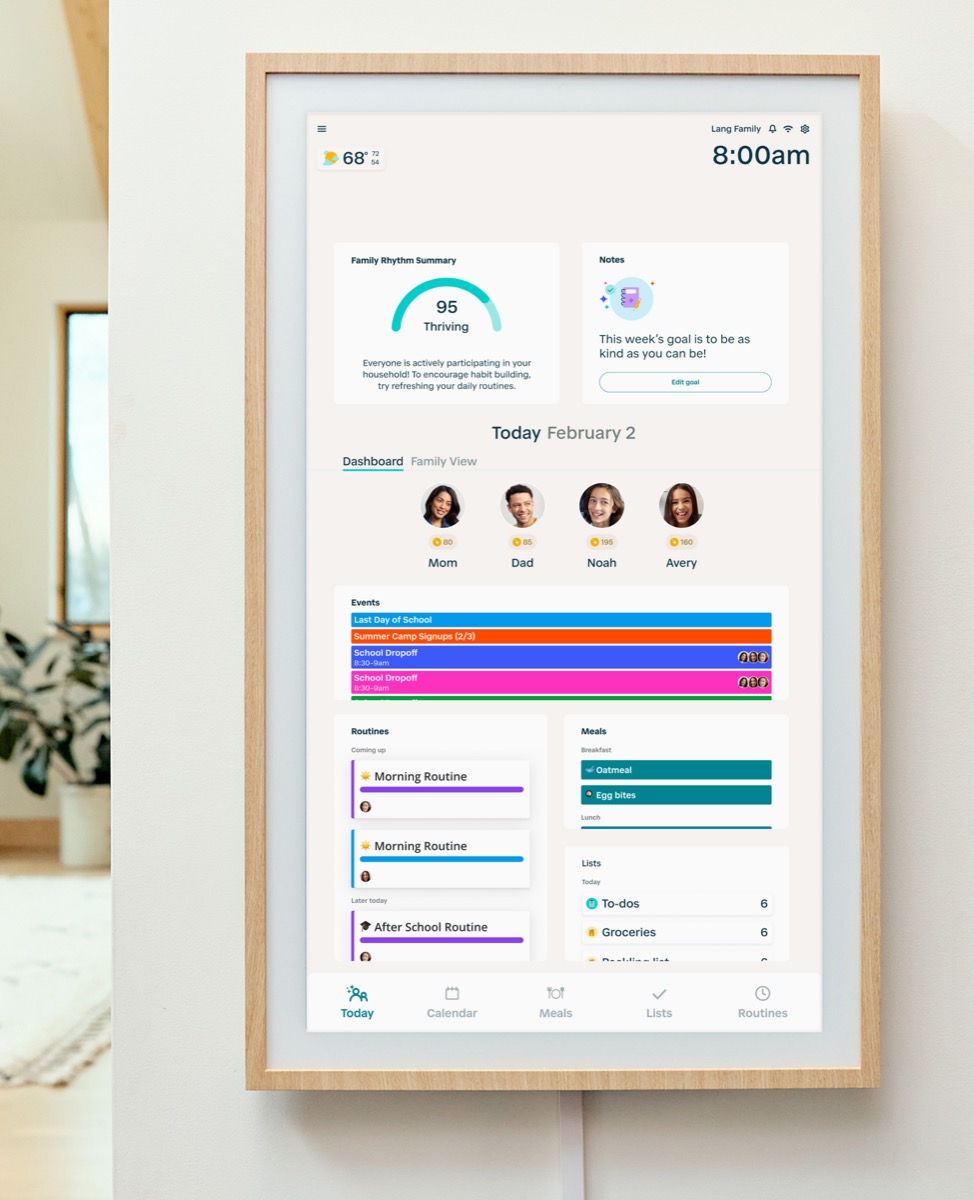
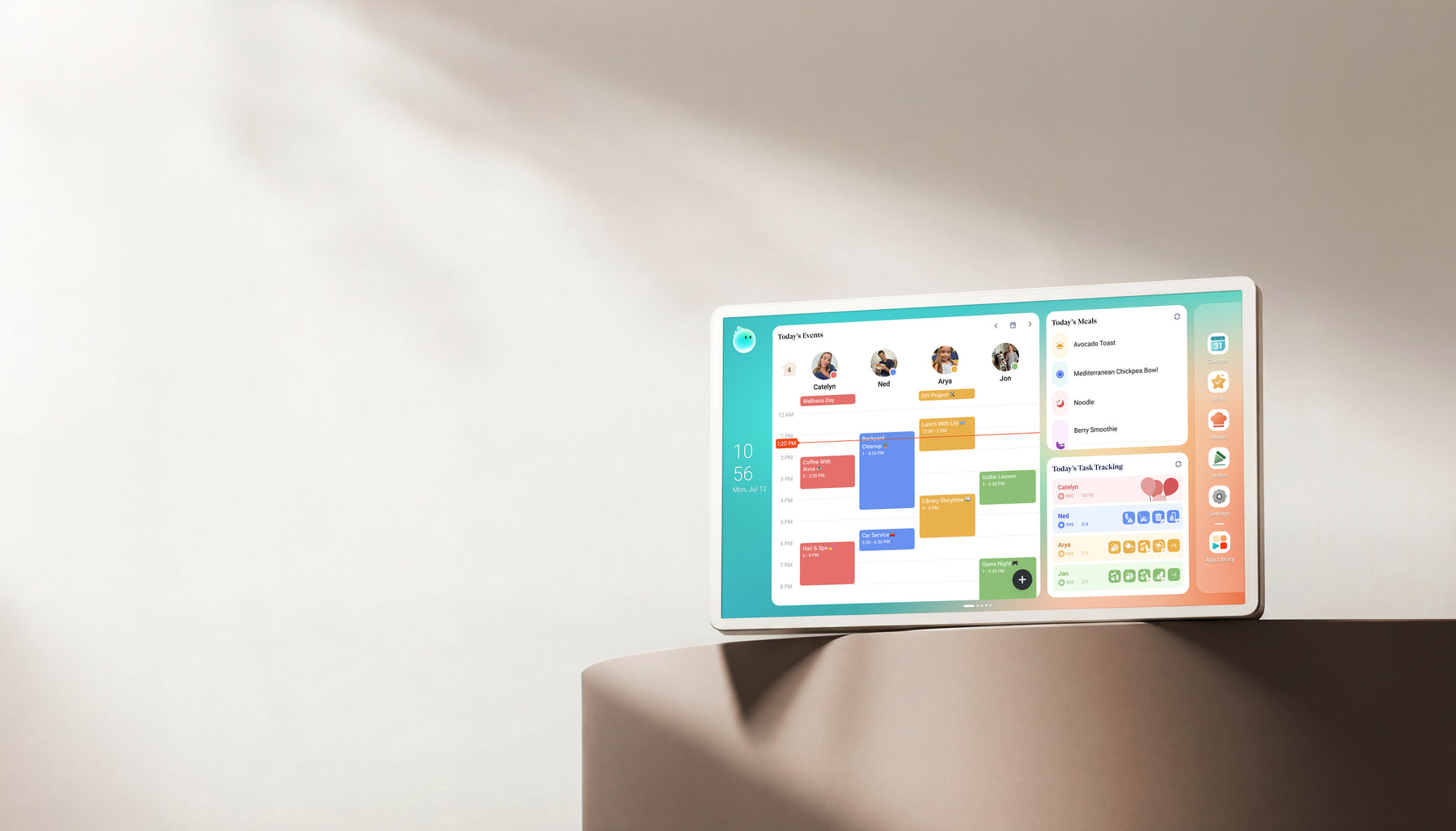
Hearth Display family command display with a household dashboard interface.Best for routines

Hearth Display

8.1/10
editorial

A stronger command-center fit when responsibilities matter as much as dates.

Display
27-inch diagonal display.
Setup style
Wall mount and power cord included.

Best-fit workflowA household command center for routines and task ownership, rather than just a schedule on a screen.

Know the limitsSkip if you expect full routines without a paid plan. After cancellation, calendar viewing, basic profiles and settings remain; dynamic routines and task management do not.

Product profile checked September 14, 2026. Buying facts below checked October 13, 2026.

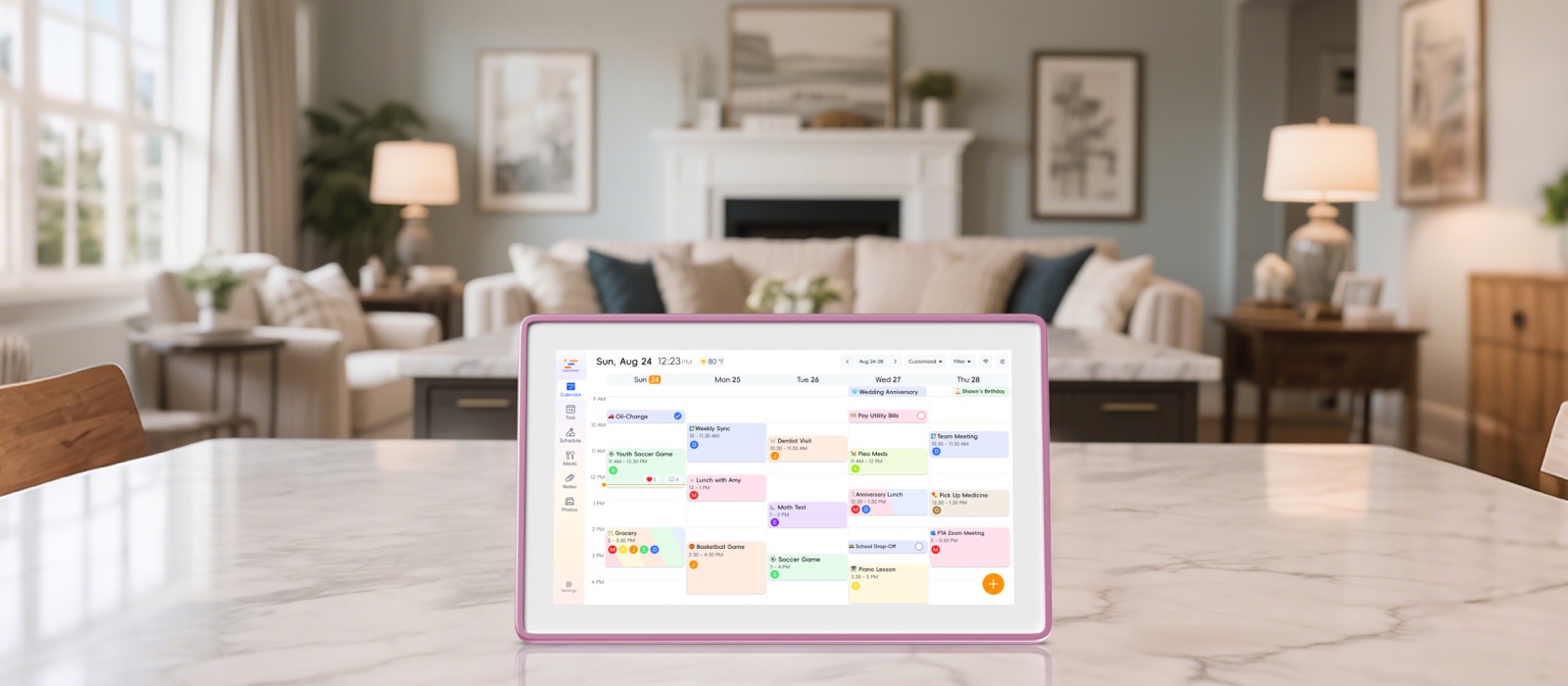
Apolosign Digital Calendar product image showing an Android family dashboard display.Best Android wall display candidate

Useful when screen size, Android flexibility, and Google ecosystem support matter.

Display
15.6-inch model here; larger variants differ.
Setup style
Included desk stand on the 15.6-inch model.

Best-fit workflowCalendar mode plus Android app/widget flexibility. Support documents describe two-way Google and iCloud sync.

Know the limitsSkip if Outlook write-back is essential: its URL-import path is not real-time two-way sync. The 15.6-inch box includes a desk stand; the larger variants have different mounting bundles. Android flexibility adds account and app-management work.

Product profile checked September 21, 2026. Buying facts below checked October 13, 2026.

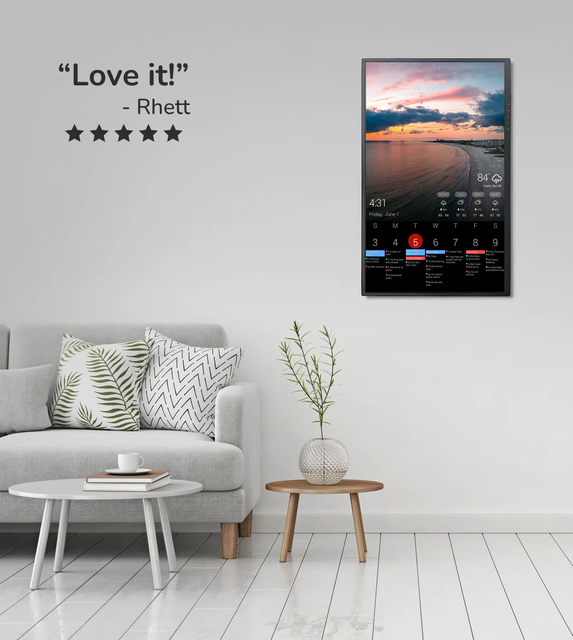
DAKboard wall display showing a customizable home dashboard.Best for DIY dashboards

DAKboard Display

7.8/10
editorial

Useful for calendar-plus-information setups.

Display
Hardware selected separately from dashboard software.
Setup style
Dedicated hardware or a compatible screen you own.

Best-fit workflowA configurable calendar, photos and information dashboard. Hardware and dashboard software are separate choices.

Know the limitsSkip if you want a turnkey chore-and-reward workflow without configuration. TouchHub is now listed even on Free; that does not make every DAKboard display touchscreen hardware.

Product profile checked August 29, 2026. Buying facts below checked October 13, 2026.

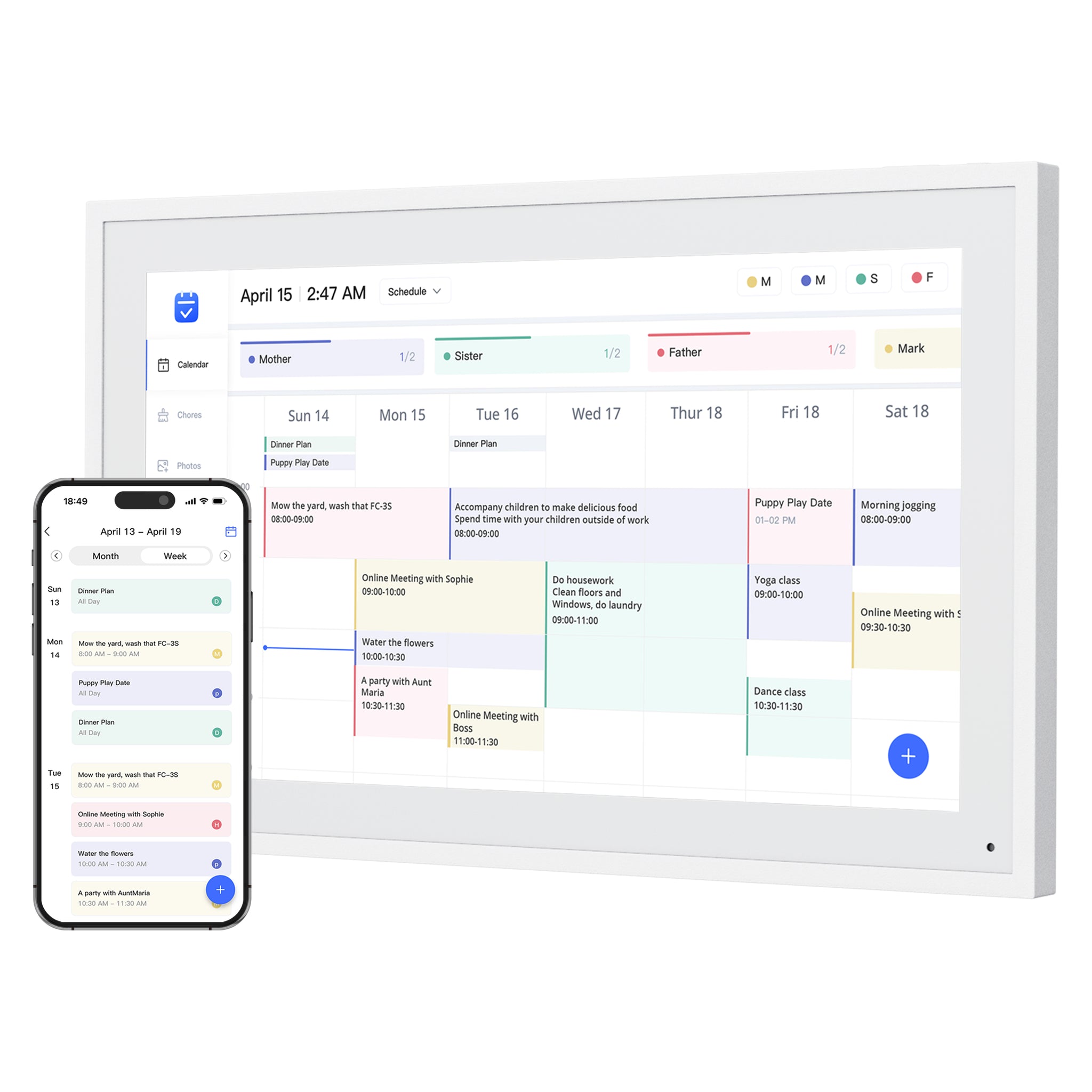
Dragon Touch Digital Calendar product image showing a wall calendar display and companion mobile app.Best no-subscription check

Relevant for shoppers comparing eCalendar-style digital wall calendars without a heavy plan story.

Display
Multiple screen sizes; match the exact variant.
Setup style
eCalendar app; listed 10-inch model is not wall-mountable.

Best-fit workfloweCalendar app setup, shared schedules, chore charts, dinner planning and family photos.

Know the limitsSkip if you cannot use a compatible phone or tablet for setup. Provider logos alone do not prove write-back. Size-specific mounting matters: the listed 10-inch version cannot be wall mounted.

Product profile checked August 29, 2026. Buying facts below checked October 13, 2026.

Aluratek AWFC15F eCalendar product image showing a 15.6-inch digital calendar and companion mobile app.Best eCalendar benchmark

Useful when comparing app-driven calendar frames sold through retail channels.

Display
15.6-inch 1080p touchscreen.
Setup style
Adjustable stand or wall placement.

Best-fit workflowAWFC15F: 15.6-inch 1080p touchscreen, eCalendar app, chores, meal plans and photos; adjustable stand and wall placement.

Know the limitsSkip if you require independently verified provider-specific two-way sync or long-term app reliability. The official compatibility list is broader than our hands-on evidence. Match AWFC15F, not an Aluratek photo-only frame.

Product profile checked August 29, 2026. Buying facts below checked October 13, 2026.

Nine displays, one comparison

Compare workflow, cost and limits

This guide compares dedicated family displays, not calendar apps alone. The shortlist is an editorial, source-based assessment—not a claim that we tested every screen side by side. Manufacturer documentation establishes advertised features; it does not establish household sync reliability, touch responsiveness or long-term support.

The specific linked facts below were checked October 13, 2026. Product-review research dates are separate.

On a narrow screen, scroll the comparison horizontally to read costs and limits.

Display / profileDaily workflowCost & paid featuresBuying limits & sources
Skylight Calendar smart calendar frame showing a family schedule on a wall display.Skylight Calendar8.6/10 editorial score10-, 15- and 27-inch family; match the generation and size. Shared events, tasks and lists through a dedicated display and companion app.Core calendars, tasks and lists are free. Calendar Plus adds imports, rewards, meal planning and photo screensaver features. Skip if you need an open Android dashboard. Calendar 2 changes hardware, not the free/paid software split; do not confuse it with the original Calendar pictured here. Needs Wi-Fi and outlet power.
Official sources
Hearth Display family command display with a household dashboard interface.Hearth Display8.1/10 editorial score27-inch diagonal display. A household command center for routines and task ownership, rather than just a schedule on a screen.Family Membership is required for setup. Listed plans: US$9/month or US$86.40/year after a 30-day trial; longer prepaid plans are offered. Skip if you expect full routines without a paid plan. After cancellation, calendar viewing, basic profiles and settings remain; dynamic routines and task management do not.
Official sources
Apolosign Digital Calendar product image showing an Android family dashboard display.Apolosign Digital Calendar8.0/10 editorial score15.6-inch model here; larger variants differ. Calendar mode plus Android app/widget flexibility. Support documents describe two-way Google and iCloud sync.The 15.6-inch page lists US$279 sale / US$349 regular at this check. Core calendar, chores, rewards, to-dos and photo screensaver are advertised as free. Third-party AI services can have separate paid tiers. Skip if Outlook write-back is essential: its URL-import path is not real-time two-way sync. The 15.6-inch box includes a desk stand; the larger variants have different mounting bundles. Android flexibility adds account and app-management work.
Official sources
DAKboard wall display showing a customizable home dashboard.DAKboard Display7.8/10 editorial scoreHardware selected separately from dashboard software. A configurable calendar, photos and information dashboard. Hardware and dashboard software are separate choices.Free: one predefined screen and up to two calendars. Essential: US$6/month or US$5/month billed annually, with up to five calendars. Display hardware costs extra. Skip if you want a turnkey chore-and-reward workflow without configuration. TouchHub is now listed even on Free; that does not make every DAKboard display touchscreen hardware.
Official sources
Dragon Touch Digital Calendar product image showing a wall calendar display and companion mobile app.Dragon Touch Digital Calendar7.9/10 editorial scoreMultiple screen sizes; match the exact variant. eCalendar app setup, shared schedules, chore charts, dinner planning and family photos.The product page describes these core tools as free, but explicitly separates paid Magic Import. A no-subscription headline does not mean every tool is free. Skip if you cannot use a compatible phone or tablet for setup. Provider logos alone do not prove write-back. Size-specific mounting matters: the listed 10-inch version cannot be wall mounted.
Official sources
Aluratek AWFC15F eCalendar product image showing a 15.6-inch digital calendar and companion mobile app.Aluratek AWFC15F eCalendar7.7/10 editorial score15.6-inch 1080p touchscreen. AWFC15F: 15.6-inch 1080p touchscreen, eCalendar app, chores, meal plans and photos; adjustable stand and wall placement.Official listing: US$269.99 and no subscription fees for this frame at this check. Skip if you require independently verified provider-specific two-way sync or long-term app reliability. The official compatibility list is broader than our hands-on evidence. Match AWFC15F, not an Aluratek photo-only frame.
Official sources
Cozyla Calendar+ family display showing calendar, meal, and task widgets.Cozyla Calendar+8.2/10 editorial scoreCalendar+ 2 reference model; verify the size and generation. Android family hub with CalendarOS, tasks, meals and app widgets.Separate Calendar+ 2 core tools from Calendar Super extras such as Art Gallery. Broad two-way marketing does not prove write-back for every calendar URL. Match the exact Calendar+ generation and size.
Official sources
Zicalstar smart calendar frame and companion phone app showing a shared family calendar.Zicalstar Smart Calendar Frame8.0/10 editorial scoreExact panel and hardware variant not verified here. Shared family calendar, tasks, meals and a companion Zical app; display activation links one selected calendar.Exact hardware checkout price and market-specific plan limits have not been verified for this guide. Official instructions describe Outlook account sync, with work/school admin restrictions. ICS imports are view-only and may refresh after about 30 minutes, not instant two-way sync.
Official sources
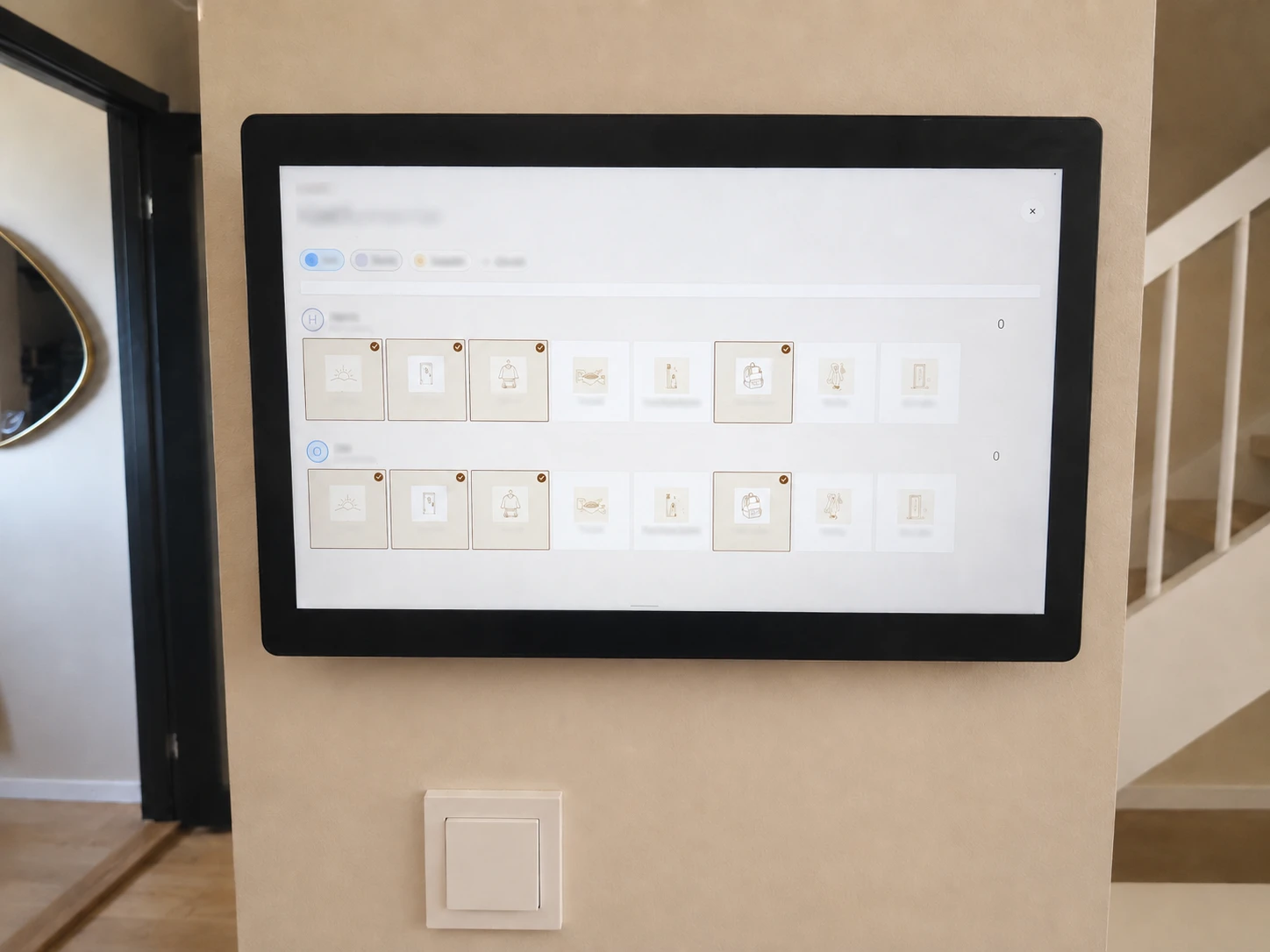
Wall-mounted Zenframe Display showing a household routine grid in a hallway.Zenframe DisplayHardware unscored15.6-inch Display or 10.1-inch Mini. European family-display option with software-only observations in our linked review.Family included for 12 months, then optional €8.99/month; some screen functions remain free. Physical Display and Mini remain untested and unscored. Shipping and suitability outside the target market are unverified.
Official sources

Prices are snapshots, not guaranteed checkout totals. Compare the exact hardware, stand/mount, shipping and tax, plus the paid features you will actually keep. USD and EUR offers are not directly comparable. A three-year budget is hardware and accessories plus recurring charges for the paid period; included trials and prepaid discounts change that calculation.

Also compared

Cozyla, Zicalstar and Zenframe

Cozyla and Zicalstar have published product scores. Zenframe has software-only observations and no hardware score. Inclusion here is distinct from a household-use recommendation above.

Cozyla Calendar+ family display showing calendar, meal, and task widgets.

8.2/10 editorial score

Cozyla Calendar+

Also consider Cozyla for an Android family hub. Its Calendar+ 2 page advertises Apple, Google, Outlook, CalDAV and URL imports, with up to eight profiles. The broad two-way claim does not establish write-back for every URL feed. Art Gallery requires Calendar Super. Our linked profile separates Calendar+ 2 from newer model announcements.

Display / setup
Calendar+ 2 reference model; verify the size and generation. CalendarOS and Android app/widget setup.
Paid-feature boundary
Separate Calendar+ 2 core tools from Calendar Super extras such as Art Gallery.
Important limit
Broad two-way marketing does not prove write-back for every calendar URL. Match the exact Calendar+ generation and size.
Read the full profile →

Product profile checked August 29, 2026.

Zicalstar smart calendar frame and companion phone app showing a shared family calendar.

8.0/10 editorial score

Zicalstar Smart Calendar Frame

Zicalstar has a published SmartFrame Score in our product library. Its support guide documents Outlook account sync and view-only ICS feeds; work or school permissions can restrict access. Display software, account limits, current price and market-specific service terms remain important buying checks. These are documented features, not a new hands-on hardware test.

Display / setup
Exact panel and hardware variant not verified here. Zical app and display activation code.
Paid-feature boundary
Exact hardware checkout price and market-specific plan limits have not been verified for this guide.
Important limit
Official instructions describe Outlook account sync, with work/school admin restrictions. ICS imports are view-only and may refresh after about 30 minutes, not instant two-way sync.
Read the full profile →

Product profile checked September 14, 2026.

Wall-mounted Zenframe Display showing a household routine grid in a hallway.

Software observations · hardware unscored

Zenframe Display

Zenframe is an additional European-market option, not a scored hardware recommendation. We have software-only observations, not hands-on Display or Mini testing. Its current page says Family is included for 12 months, then optional at €8.99/month; calendar, photos, clock and weather remain free. Hardware availability, shipping and suitability outside its target market remain unverified.

Display / setup
15.6-inch Display or 10.1-inch Mini. Household software observed; physical setup untested.
Paid-feature boundary
Family included for 12 months, then optional €8.99/month; some screen functions remain free.
Important limit
Physical Display and Mini remain untested and unscored. Shipping and suitability outside the target market are unverified.
Read the full profile →

Product profile checked September 13, 2026.

Before you buy

Choose a calendar your family will keep using

How to compare digital calendars for the home

The best digital calendar is the one a household will keep visible and current. Compare the daily workflow before comparing feature counts, because a strong calendar screen can still fail if updates are hard or the display sits in the wrong place.

  • Calendar sync: verify the exact Google, Apple, Outlook, or shared-calendar path your household uses.
  • Daily action: compare schedules, chores, routines, lists, meals, and reminders by the jobs people actually need to complete.
  • Home placement: check wall mounting, countertop stands, power-cable reach, viewing distance, and whether touch controls remain accessible.
  • Ongoing cost: separate free calendar visibility from paid imports, advanced chores, AI tools, photo features, and other plan-gated extras.
  • Confidence: prefer exact-model documentation, current support pages, clear return terms, and review evidence that states what remains unverified.

Start with the family job, not the screen

A digital wall calendar is useful only if it changes a repeated household behavior. Before comparing products, decide whether the screen is mainly for schedules, chores, routines, meal planning, or a wider command-center workflow.

  • Choose a calendar-first product when missed events and shared schedule visibility are the main problem.
  • Choose a command-center product when chores, routines, ownership, and reminders matter as much as dates.
  • Choose a dashboard product when the family wants widgets, weather, photos, and custom information beside the calendar.

Best for chores and routines

Chores and routines raise the bar because the display must help people act, not just read. A strong choice should make ownership visible and reduce repeated reminders.

  • Hearth is the strongest current command-center reference when routine depth and household ownership are central.
  • Skylight is a safer mainstream calendar-first path when chores and planning are useful but not the whole reason to buy.
  • Cozyla, Dragon Touch, Apolosign, and Aluratek should be checked for the exact task, list, meal, and reminder features available on the current model.
  • DAKboard suits a configurable dashboard; its current plan list also includes TouchHub, so compare the actual task workflow and touchscreen hardware rather than assuming it is display-only.

School, sports, and shared custody workflows

Families often search by life situation instead of product category. The same wall calendar can behave differently for school mornings, sports travel, custody transitions, caregiving, or ADHD-friendly routines.

  • School and sports families should prioritize recurring events, color coding, shared calendars, and fast visibility from the kitchen or entryway.
  • Shared custody and caregiving households should verify multiple calendar sources, account ownership, and who can update events remotely.
  • Treat subscribed calendar URLs as sensitive credentials: anyone with an unprotected feed link may be able to read event details. Avoid exposing school, custody or medical information on a display visible to guests.
  • ADHD-friendly and routine-heavy households should compare visibility, reminders, task ownership, and whether the display avoids becoming visual clutter.

Free versus paid family features

A wall calendar can look affordable until key household features sit behind a paid layer. Compare what the family will use every week before treating any product as cheaper.

  • Check calendar sync, recurring events, chores, routines, rewards, lists, meal planning, and photo features separately.
  • Ask whether the display still solves the core household problem if the paid plan is canceled.
  • Review confidence, app polish, support history, and return terms matter more as the feature list gets longer.

What the evidence can and cannot prove

Official product and support pages can confirm advertised compatibility, plan boundaries, dimensions, and setup instructions. They cannot prove that every sync path is equally reliable in every household, so use the linked product reviews to separate documented facts, observed behavior, and remaining unknowns.

  • Treat product-family claims as provisional until the exact model and current checkout path match.
  • Use retailer ratings as a signal to investigate, not as proof that a product will fit your calendar workflow.
  • Recheck price, availability, subscriptions, return terms, and software support before buying.

The practical details

Common questions

Does calendar compatibility mean two-way sync?

No. A subscribed calendar URL can display events without writing edits back. Apolosign support documents two-way Google and iCloud sync but not real-time two-way Outlook URL imports. For any display, check your provider, account type and import method rather than relying on a logo.

Can I use these calendars without paying a subscription?

Several have a free core, but the boundaries differ. Skylight separates calendars, tasks and lists from Plus extras. Hearth requires membership for setup and loses premium routines and task management after cancellation. Dragon Touch has paid Magic Import despite free core tools. Aluratek advertises no subscription fees for AWFC15F. See the dated comparison above for model-specific details.

What is the best digital wall calendar for chores and routines?

Hearth is the strongest command-center reference for deeper chores and routines, while Skylight is safer when a family mainly needs a mainstream shared calendar with some planning features around it.

Is a digital wall calendar better than a chore chart?

It can be better when chores need to sit beside school schedules, appointments, reminders, and family events. A simple chore chart may still be better if the household only needs one visible checklist.

Should I choose DAKboard for family routines?

Choose DAKboard when custom dashboard control matters. If routines, chores, and ownership are the main pain, compare Hearth, Skylight, Cozyla, or other family-display options before choosing a dashboard path.

Do families need a subscription for chores and routines?

Not always. The important test is whether the exact chore, routine, list, reward, or reminder feature your family needs is free, paid, or unavailable on the current model.

What is the best digital calendar for a family?

Skylight is the current top pick for most families that want a straightforward calendar-first experience. Hearth is stronger when chores and routines drive the decision, while DAKboard is better suited to households that want a configurable dashboard. Verify the exact calendar provider, paid-feature boundary, and placement before choosing.

Should a digital calendar display for home go on a wall or a counter?

Choose a wall when the display needs to be visible across a shared room and the power cable can be managed safely. Choose a counter or stand when touch access, easier setup, and the ability to move the screen matter more than distance visibility.

A closer look

Compare your finalists

SmartFrameLab does not sell placements or run display ads. Some buying links on linked product reviews are affiliate links; see our affiliate disclosure. Product images are original brand media unless the linked review states otherwise.