
Start with the job
Quick answer
Choose by the job that must remain free. Aluratek AWFC15F, Dragon Touch and Apolosign advertise no-required-plan core workflows, but optional imports, AI services and support conditions differ. A subscription-free headline is not a lifetime service guarantee.
The matrix separates free core tools, optional paid features and unresolved limitations. Compare the workflow that matters to your family rather than treating every no-subscription claim as equivalent. Specific buying facts were checked October 13, 2026; product-profile research dates remain separate. Images are representative, not joint hardware tests; Skylight shows the original Calendar.
Different jobs, different choices
Use-case shortlist
These labels describe different needs. The shared overall product scores are editorial assessments, not scores for an individual feature.
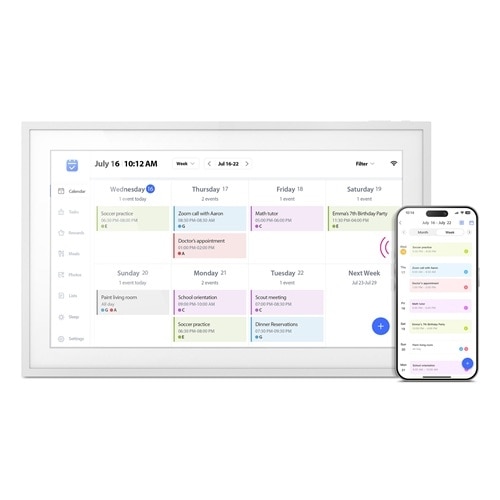
Best retail-spec check
Aluratek AWFC15F eCalendar
The exact AWFC15F page says there are no subscription fees; app longevity and support confidence still deserve checking.
7.7/10 overall editorial score
- Core workflow
- AWFC15F: 15.6-inch 1080p touchscreen, eCalendar app, chores, meal plans and photos; adjustable stand and wall placement.
- Free / optional paid boundary
- Official listing: US$269.99 and no subscription fees for this frame at this check.
- Know the limits
- Skip if you require independently verified provider-specific two-way sync or long-term app reliability. The official compatibility list is broader than our hands-on evidence. Match AWFC15F, not an Aluratek photo-only frame.
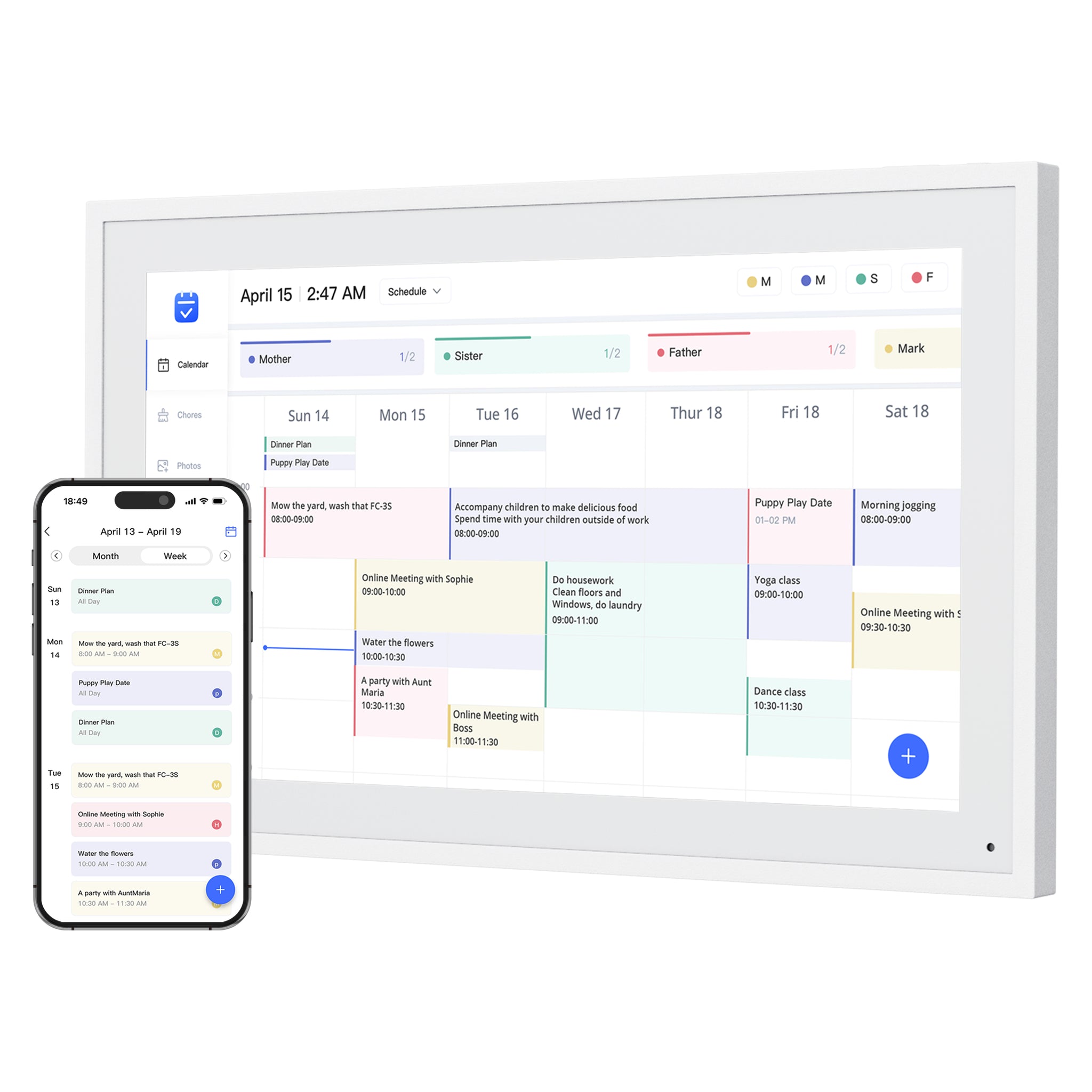
Best no-subscription contender
Dragon Touch Digital Calendar
Core planning and photo features are positioned as free across a broad size range, while Magic Import remains an optional paid boundary.
7.9/10 overall editorial score
- Core workflow
- eCalendar app setup, shared schedules, chore charts, dinner planning and family photos.
- Free / optional paid boundary
- The product page describes these core tools as free, but explicitly separates paid Magic Import. A no-subscription headline does not mean every tool is free.
- Know the limits
- Skip if you cannot use a compatible phone or tablet for setup. Provider logos alone do not prove write-back. Size-specific mounting matters: the listed 10-inch version cannot be wall mounted.
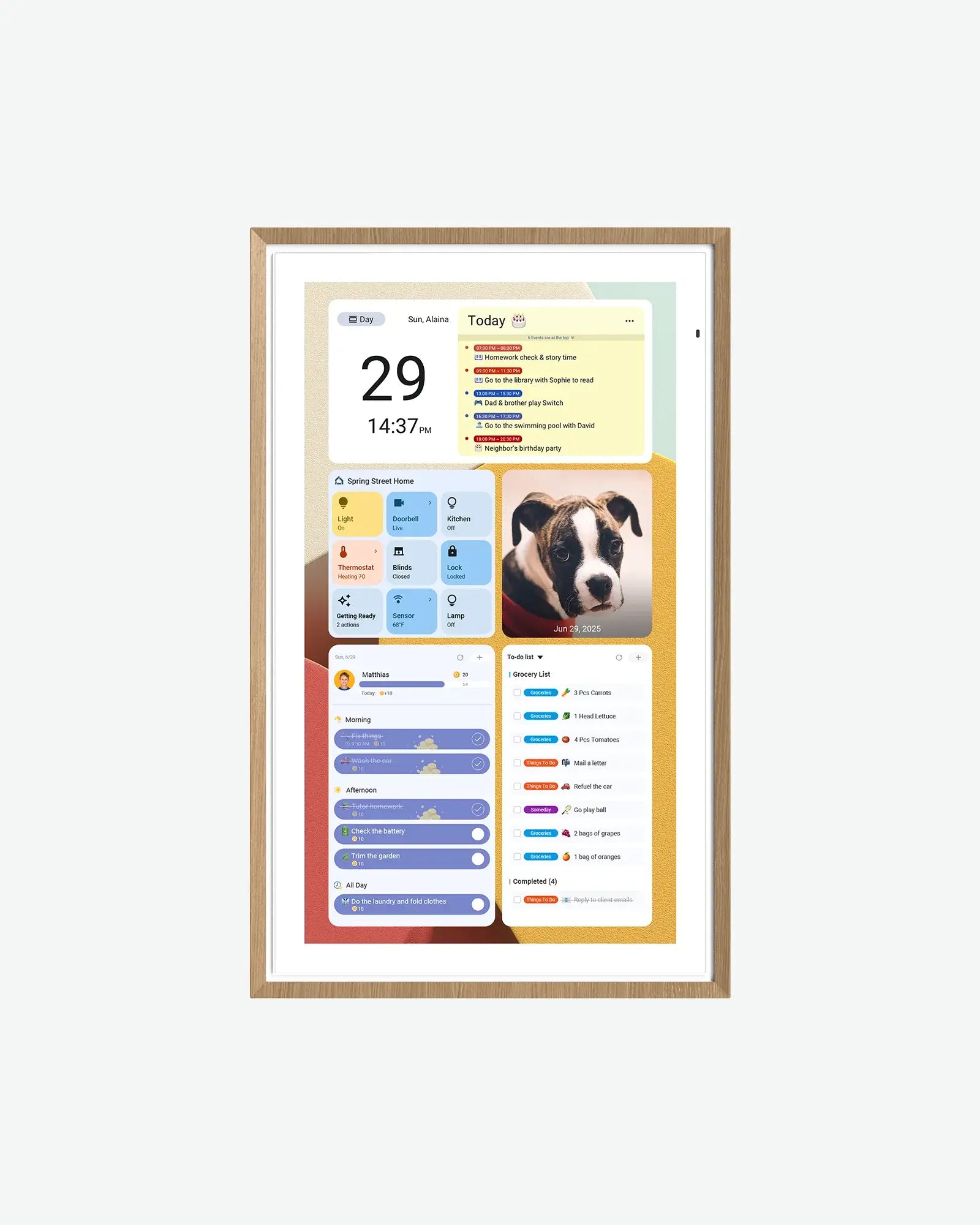
Best spec-transparent contender
Apolosign Digital Calendar
The current 15.6-inch page says its core calendar, chores, rewards, to-dos, and photo screensaver are free, with detailed Android hardware specs.
8.0/10 overall editorial score
- Core workflow
- Calendar mode plus Android app/widget flexibility. Support documents describe two-way Google and iCloud sync.
- Free / optional paid boundary
- The 15.6-inch page lists US$279 sale / US$349 regular at this check. Core calendar, chores, rewards, to-dos and photo screensaver are advertised as free. Third-party AI services can have separate paid tiers.
- Know the limits
- Skip if Outlook write-back is essential: its URL-import path is not real-time two-way sync. The 15.6-inch box includes a desk stand; the larger variants have different mounting bundles. Android flexibility adds account and app-management work.
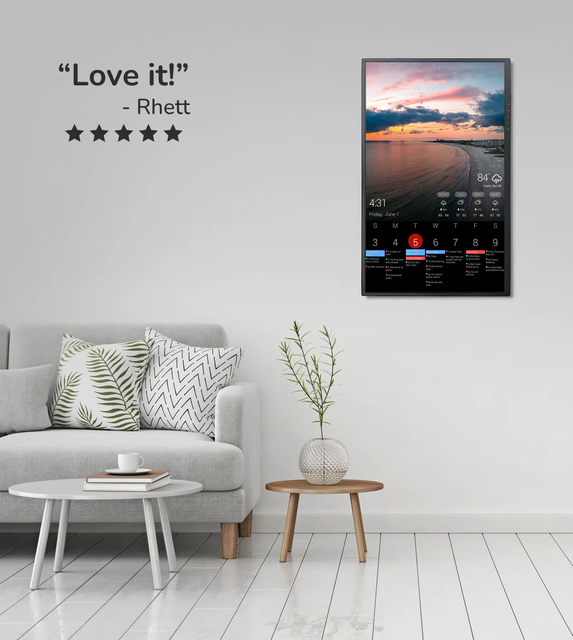
Best to evaluate carefully
DAKboard Display
Plan value depends heavily on the dashboard needs you actually have.
7.8/10 overall editorial score
- Core workflow
- A configurable calendar, photos and information dashboard. Hardware and dashboard software are separate choices.
- Free / optional paid boundary
- Free: one predefined screen and up to two calendars. Essential: US$6/month or US$5/month billed annually, with up to five calendars. Display hardware costs extra.
- Know the limits
- Skip if you want a turnkey chore-and-reward workflow without configuration. TouchHub is now listed even on Free; that does not make every DAKboard display touchscreen hardware.
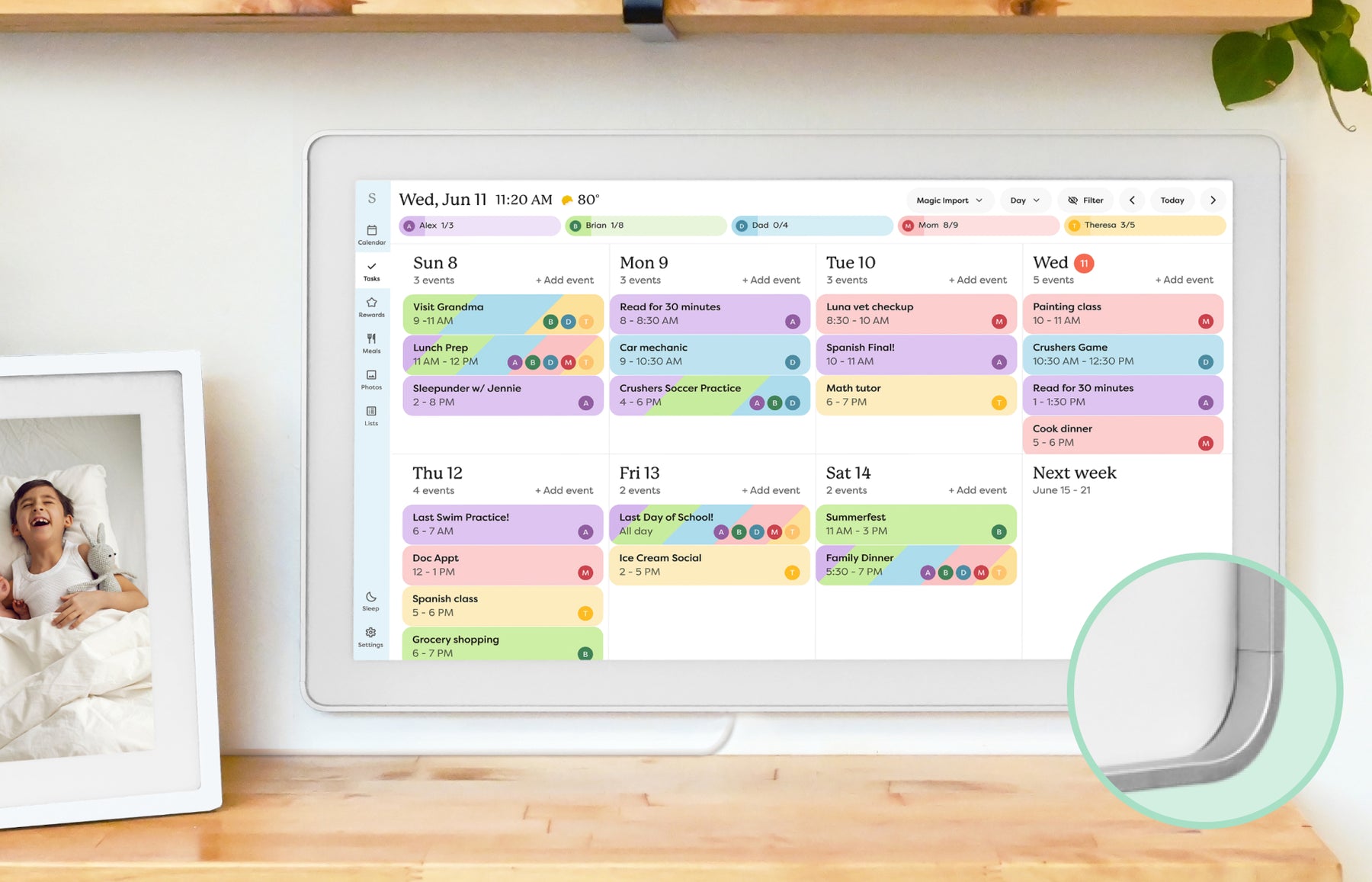
Best mainstream check
Skylight Calendar
Important to compare free and paid-plan boundaries before buying.
8.6/10 overall editorial score
- Core workflow
- Shared events, tasks and lists through a dedicated display and companion app.
- Free / optional paid boundary
- Core calendars, tasks and lists are free. Calendar Plus adds imports, rewards, meal planning and photo screensaver features.
- Know the limits
- Skip if you need an open Android dashboard. Calendar 2 changes hardware, not the free/paid software split; do not confuse it with the original Calendar pictured here. Needs Wi-Fi and outlet power.
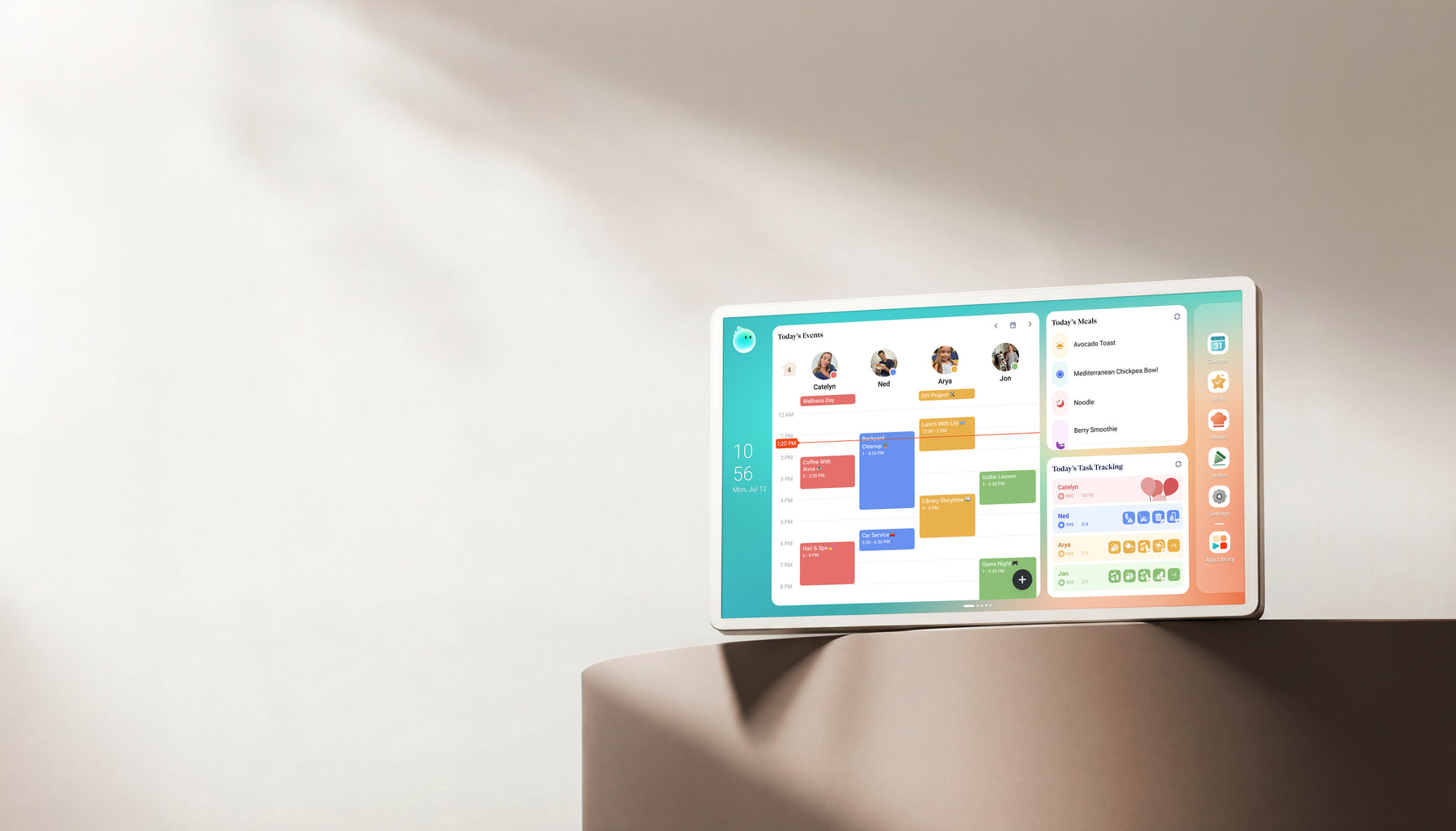
Best alternate check
Cozyla Calendar+
Calendar Plus 2 keeps Basic and Essential tools free, but optional Calendar Super adds unlimited Agent use, art, and Routie Super.
8.2/10 overall editorial score
- Core workflow
- Android family hub with CalendarOS, tasks, meals and app widgets.
- Free / optional paid boundary
- For Calendar+ 2, Basic and Essential benefits are described as free. Optional Calendar Super adds unlimited Agent access, curated art and full Routie Super benefits. Other models need a separate plan check.
- Know the limits
- Broad two-way marketing does not prove write-back for every calendar URL. Match the exact Calendar+ generation and size.
Features with boundaries
What stays free—and what does not?
On a smaller screen, swipe the table sideways to see costs and limits. With a keyboard, focus the table and use the arrow keys.
| Product | Core workflow | Free / optional paid boundary | Limits & sources |
|---|---|---|---|
| Aluratek AWFC15F eCalendar | AWFC15F: 15.6-inch 1080p touchscreen, eCalendar app, chores, meal plans and photos; adjustable stand and wall placement. | Official listing: US$269.99 and no subscription fees for this frame at this check. | Skip if you require independently verified provider-specific two-way sync or long-term app reliability. The official compatibility list is broader than our hands-on evidence. Match AWFC15F, not an Aluratek photo-only frame. |
| Dragon Touch Digital Calendar | eCalendar app setup, shared schedules, chore charts, dinner planning and family photos. | The product page describes these core tools as free, but explicitly separates paid Magic Import. A no-subscription headline does not mean every tool is free. | Skip if you cannot use a compatible phone or tablet for setup. Provider logos alone do not prove write-back. Size-specific mounting matters: the listed 10-inch version cannot be wall mounted. |
| Apolosign Digital Calendar | Calendar mode plus Android app/widget flexibility. Support documents describe two-way Google and iCloud sync. | The 15.6-inch page lists US$279 sale / US$349 regular at this check. Core calendar, chores, rewards, to-dos and photo screensaver are advertised as free. Third-party AI services can have separate paid tiers. | Skip if Outlook write-back is essential: its URL-import path is not real-time two-way sync. The 15.6-inch box includes a desk stand; the larger variants have different mounting bundles. Android flexibility adds account and app-management work. |
| DAKboard Display | A configurable calendar, photos and information dashboard. Hardware and dashboard software are separate choices. | Free: one predefined screen and up to two calendars. Essential: US$6/month or US$5/month billed annually, with up to five calendars. Display hardware costs extra. | Skip if you want a turnkey chore-and-reward workflow without configuration. TouchHub is now listed even on Free; that does not make every DAKboard display touchscreen hardware. |
| Skylight Calendar | Shared events, tasks and lists through a dedicated display and companion app. | Core calendars, tasks and lists are free. Calendar Plus adds imports, rewards, meal planning and photo screensaver features. | Skip if you need an open Android dashboard. Calendar 2 changes hardware, not the free/paid software split; do not confuse it with the original Calendar pictured here. Needs Wi-Fi and outlet power. |
| Cozyla Calendar+ | Android family hub with CalendarOS, tasks, meals and app widgets. | For Calendar+ 2, Basic and Essential benefits are described as free. Optional Calendar Super adds unlimited Agent access, curated art and full Routie Super benefits. Other models need a separate plan check. | Broad two-way marketing does not prove write-back for every calendar URL. Match the exact Calendar+ generation and size. |
Sources describe advertised capabilities and terms, not independent reliability tests. Specific-source checks for this guide: October 13, 2026. Linked product profiles retain their separate research dates. Prices, allowances and support terms can change.
Make the decision
What to check before choosing
Make a must-stay-free checklist
Separate calendar visibility from imports, photo display, rewards and AI before comparing free and paid features. A frame can be useful without premium tools if the household is happy to enter some information manually.
- Dragon Touch describes free core planning and photos but paid Magic Import.
- Apolosign advertises free core calendar tools; Android services can have their own charges.
- Aluratek AWFC15F says no subscription fees for that frame; this is not a guarantee about all eCalendar devices.
Check cancellation separately from the trial
The features available after cancellation can be narrower than those visible during setup. Hearth illustrates the distinction: membership is required to activate the display, and cancellation leaves a limited calendar-viewing baseline, not full routines and task management.
- A free trial is not permanent free access.
- Check whether canceling removes editing, import tools or the photo screensaver you bought the screen for.
- Keep a copy of important schedules and photos outside a single vendor account.
Compare the cost of the workflow you will keep
A three-year cost comparison includes hardware, accessories, shipping and the paid tools you actually retain. A lower upfront price is not necessarily better if ongoing setup work makes the display fall out of use.
- DAKboard software plans and display hardware are separate costs.
- Skylight keeps core calendars, tasks and lists free; Plus adds tools such as imports and photo screensaver.
- For Cozyla Calendar+ 2, the exact-model Basic/Essential versus Super boundary matters; do not apply it to every generation.
No monthly fee does not remove software risk
The return-policy checklist helps compare app setup, calendar permissions and support before the return window closes. No required subscription does not establish offline capability, unlimited cloud storage or perpetual service.
- Try the actual provider and shared account type while returns remain available.
- Keep hardware warranty and software service terms separate.
- Two devices using the same app can still differ in firmware, mounting, paid allowances and support.
Practical details
Common questions
Does no subscription mean every feature is free?
No. Dragon Touch separates paid Magic Import; Skylight offers Plus extras; Cozyla Calendar+ 2 has an optional Super tier. Compare free and paid features against the exact job and model you need.
Do Aluratek and Dragon Touch have identical paid features?
Not established. Both identify eCalendar, but Dragon Touch names a paid Magic Import boundary while the AWFC15F product FAQ says no subscription fees. Shared software is not proof of identical entitlements.
Should I avoid all subscriptions?
Not necessarily. A paid import or routine tool can be worthwhile if it saves work your family actually repeats. Compare the three-year cost with the free workflow you would otherwise use.
Does a free trial mean Hearth works fully without membership?
No. Membership is required for initial setup. Its cancellation baseline includes calendar viewing, basic profiles and settings, not dynamic routines and task management. The Hearth review explains the difference.
Does no subscription guarantee the app will work forever?
No. Software availability, cloud access and vendor support can change independently of the hardware warranty. Keep your source calendar and important photos accessible outside the frame.
Explore the details
Aluratek AWFC15F eCalendarRead the evidence and buying limitsDragon Touch Digital CalendarRead the evidence and buying limitsApolosign Digital CalendarRead the evidence and buying limitsRelated reading
Read the buying details
These guides explain the tradeoffs behind the comparison.
Useful next steps
- Compare free and paid toolsCore visibility versus optional automation.
- Estimate ownership costInclude the paid features you will actually keep.
- Compare AI calendar actionsSchedule imports, voice planning and paid-access limits.
- Compare display apps and softwareCompanion platforms, exact-device pairing and shared-app limits.
SmartFrameLab does not sell placements or run display ads. Some buying links on linked reviews are affiliate links; see our commercial disclosure.