
Comparison
Cozyla vs Hearth Display
Compare a flexible calendar and photo display with a routine-first family command center, including setup and membership limits.
Choose Cozyla when you want a broader smart family display with calendar and photo value. Choose Hearth when routines, responsibilities, and command-center adoption matter more than photo-frame flexibility.
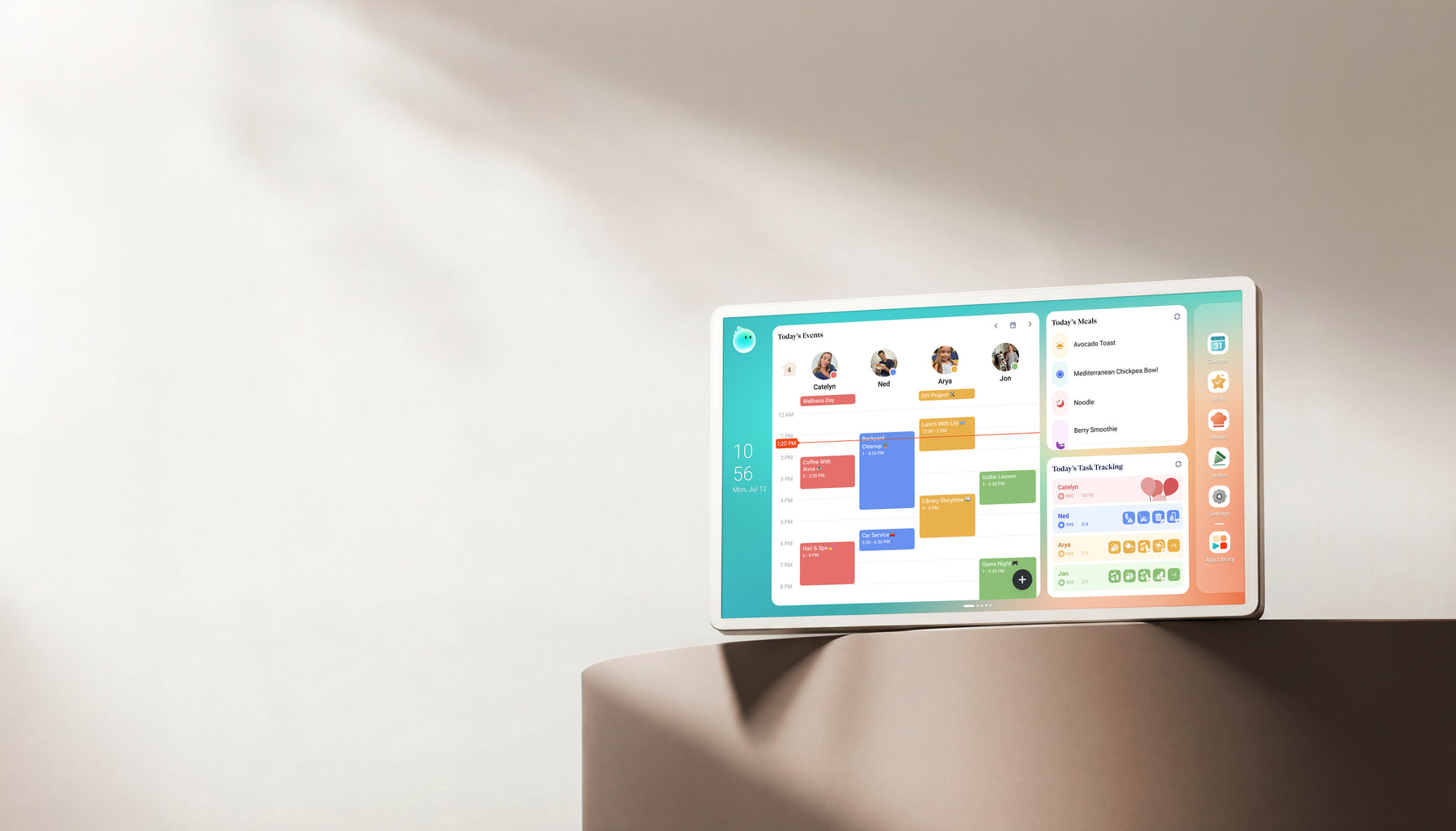
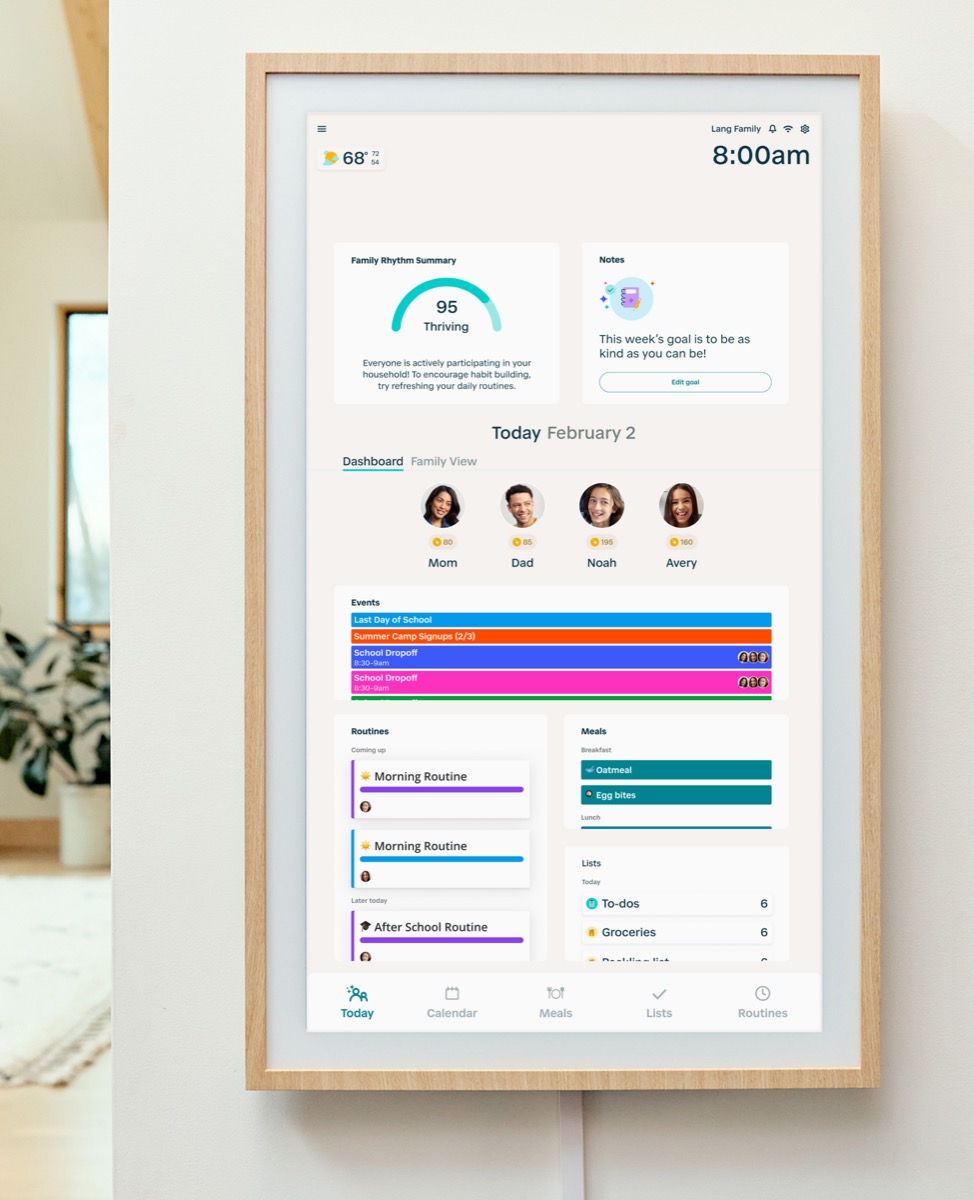
Quick answer
- Winner logic: Choose Cozyla when you want a broader smart family display with calendar and photo value. Choose Hearth when routines, responsibilities, and command-center adoption matter more than photo-frame flexibility.
- Cozyla fit: Choose Cozyla if you want a Calendar Plus Series display for schedules, photos, tasks, and a customizable dashboard, and you will check the exact model before buying.
- Hearth fit: Choose Hearth if the main pain point is household follow-through: routines, chores, profiles, reminders, meal planning, and family responsibility systems.
- Source check: Cozyla is Official + retailer sources · checked August 29, 2026. Hearth is Official sources · checked September 14, 2026.
Decision path
Check the supporting pages before choosing.
Explore the product reviews, selected picks and buying guides behind this comparison.
Read the reviews
- Cozyla Calendar+ ReviewHomes comparing Skylight alternatives with calendar, photo, and family-display needs.
- Hearth Display ReviewFamilies that want routine management and a command-center style home display.
Best-pick context
- Best Smart Calendar FramesChoose a frame-style home calendar by room fit, viewing distance, touch access and setup style—not just the largest screen.
- Best Digital Calendars for Families: Wall Displays ComparedCompare nine digital calendars for family schedules, chores and routines. Find the right wall display by calendar sync, setup and the features you will actually use.
- Best Smart Frames Without Subscription PressureA buyer guide based on published sources comparing the free core workflow, optional paid tools, exact-model limits, app polish, and support confidence behind no-subscription calendar claims.
- Best AI Photo Frames and Family DisplaysCompare photo animation and restoration with ordinary photo display, paid credits and family privacy—without confusing them with calendar AI.
Buying guides
- Family Command Center or Calendar Frame?Choose a shared home screen by the problem it must solve: visible schedules, task ownership, family photos, or a configurable information wall.
- Digital Wall Calendar for ChoresA family workflow guide for choosing a wall display when recurring chores, clear ownership, child follow-through, and fewer parent reminders matter more than a longer feature list.
- Skylight Calendar Alternatives: Choose by Household NeedLooking for a Skylight alternative? Compare the strongest paths by what your household needs instead: lower subscription pressure, routines, dashboard control, Android flexibility, photo sharing, or large-wall visibility.
- Smart Frame Subscription Costs ExplainedHow to compare free features, paid plans, AI extras, and ongoing household value before choosing a smart frame.
Quick choice
Choose Cozyla
Choose Cozyla if you want a Calendar Plus Series display for schedules, photos, tasks, and a customizable dashboard, and you will check the exact model before buying.
Choose Hearth
Choose Hearth if the main pain point is household follow-through: routines, chores, profiles, reminders, meal planning, and family responsibility systems.
Setup, sync, and subscription pressure
This is the practical decision layer for families comparing Cozyla and Hearth. The strongest choice is not the product with the longest feature list; it is the one your household can set up, keep synced, and justify over time.
| Decision point | Cozyla Calendar+ | Hearth Display | Editorial read |
|---|---|---|---|
| Primary job | Cozyla is a broader family display that can sit between calendar frame, photo frame, and smart display expectations. | Hearth is a command-center product focused on routines, to-dos, profiles, rewards, meal planning, and household coordination. | Cozyla is the flexible display path. Hearth is the deeper household system path. |
| Photo and display role | Cozyla has stronger photo-display and smart-screen relevance for families who want more than scheduling. | Hearth can show household information, but it is not mainly a decorative photo-frame purchase. | If photo display matters heavily, Cozyla deserves more attention. If action and accountability matter more, Hearth deserves more attention. |
| Routine depth | Cozyla lists routines and chores among core Calendar Plus Series features, but supported features vary by model. Check the exact device and whether your family needs the optional Super or Routie features. | Hearth is the stronger command-center benchmark for routines, to-dos, profiles, rewards, and child-facing responsibility workflows. | Feature lists are not equal to household adoption. Ask which screen will actually reduce repeated reminders. |
| Cost and plan pressure | Cozyla says Calendar Plus Series devices include Essential features without a separate Essential membership. Calendar Super adds premium Agent, art, and Routie benefits; confirm the exact model and current price. | Hearth requires a Family Membership selection for initial setup and includes a 30-day trial. After cancellation, its Membership page lists calendar viewing, basic profile details, and settings, while routines and task management need membership. | Compare hardware cost and the features your family will actually use after the trial or without a paid plan. |
| Setup and ongoing upkeep | Check the Calendar Plus Series model, calendar connections, dashboard layout, and which photo features that model supports. | Plan for a wall-mounted 27-inch display, profile setup, and a household routine that keeps tasks and calendars current. | The better fit is the screen your household can place, configure, and maintain every week. |
- This comparison is source-backed editorial research, not hands-on testing.
- Cozyla feature availability differs by Calendar Plus Series model; Hearth describes its post-cancellation calendar access differently across official pages. Confirm the precise workflow before purchase.
Feature comparison
| Category | Cozyla Calendar+ | Hearth Display |
|---|---|---|
| Best for | Homes comparing Skylight alternatives with calendar, photo, and family-display needs. | Families that want routine management and a command-center style home display. |
| Calendar | Best evaluated by supported calendar accounts and setup friction. | Calendar workflow should be evaluated alongside routines and tasks. |
| Photo frame | Photo sharing and display quality are key differentiators. | Not the primary reason to choose this product category. |
| AI / agent | AI usefulness depends on whether features reduce real household planning work. | AI value should be judged by routine planning and household coordination. |
| Subscription | Calendar Plus 2 keeps Basic and Essential features free; optional Calendar Super adds unlimited Agent use, curated art, and full Routie Super access. Verify other models separately. | Check which household-management features require an ongoing plan. |
| Source status | Official + retailer sources · checked August 29, 2026 | Official sources · checked September 14, 2026 |
Common questions
Is Cozyla a Hearth Display alternative?
Cozyla can be an alternative if the buyer wants a flexible family display with calendar and photo value. It is not a direct replacement for Hearth if the main need is routines, responsibilities, profiles, rewards, and a managed command-center system.
Which is better for chores and routines?
Both brands describe routines and chores, but Hearth centers its paid family workflow on routines, tasks, and profiles. Cozyla includes core routines and chores on Calendar Plus Series devices, with model and premium-tier differences. Compare the exact tasks your family will maintain.
Which is better as a photo frame?
Cozyla is the stronger photo-and-calendar hybrid candidate. Hearth is better judged by household coordination and routine adoption rather than photo-frame appeal.
Can either display work without a paid membership?
Cozyla says Calendar Plus Series devices include Essential features without an Essential subscription; Super adds premium benefits. Hearth requires a Family Membership selection for setup and offers a 30-day trial. Its Membership page says that after cancellation you can view the calendar, basic profile details, and settings, but lose routines and task management. Confirm current terms before buying.
Final recommendation
The better choice depends on the screen's main job. If your family needs visible scheduling, choose the calendar workflow that feels easiest to maintain. If the screen is also a photo frame, routine board, or dashboard, weigh those jobs before chasing the highest spec.